



The best Shopify discount app depends on the offer.
Start with Shopify's native discounts, which are free and cover amount off, Buy X Get Y and free shipping.
Add Kaching Bundles or the free Bundler for tiered and volume discounts, BOGOS for BOGO and gift with purchase, and Discount Ninja when you need stacked, scheduled or VIP-only promotions.
How we picked: Shopify App Store listings, vendor pricing pages and Shopify's help docs, all checked in November 2026, plus the discount tests in our archive. We have not used these apps ourselves.
Shopify discount apps compared
| Tool | Best for | Starting price (as of November 2026) | Free plan or trial | Rating (source) |
|---|---|---|---|---|
| Shopify native discounts | Simple codes, automatic discounts, BOGO, free shipping | Included with Shopify | Included on every plan | Not rated |
| Kaching Bundles | Quantity breaks and volume discounts on the product page | $14.99/month | 7-day trial; free on development stores only | 5.0 (6,608 reviews, Shopify App Store) |
| Bundler | Free volume discounts and Buy X Get Y | Free; paid from $9.99/month | Free plan | 4.9 (2,773 reviews, Shopify App Store) |
| BOGOS | BOGO, free gift with purchase, gift progress bars | Free (30 orders lifetime); paid from $29.99/month | Free plan, 7-day trial | 5.0 (4,597 reviews, Shopify App Store) |
| Monk Free Gift | Gift with purchase and BOGO with flat pricing | $49/month (up to 1,000 orders) | 7-day trial | 4.9 (606 reviews, Shopify App Store) |
| Discount Ninja | Stacked, scheduled and VIP promotions | $49/month | 14-day trial | 4.4 (185 reviews, Shopify App Store) |
| Multiscount | Cheap tiered order, product and gift discounts | $8.99/month | 7-day trial; free on dev stores | 5.0 (25 reviews, Shopify App Store) |
| Upcart | Tiered spend rewards in a cart drawer | $29.99/month (up to 200 orders) | 14-day trial | 4.8 (952 reviews, Shopify App Store) |
Many of these apps also do bundles and upsells.
If the bundle is the main job, see our Shopify bundle apps list.
For cart and checkout offers, see Shopify upsell apps.
All our tool roundups are on the tools hub.
The 8 best Shopify discount apps
1. Shopify native discounts
Best for: Any store running simple codes, automatic discounts, Buy X Get Y or free shipping offers.
What it does: Shopify's admin lets you create amount off, Buy X Get Y and free shipping discounts, either as codes or as automatic discounts.
Since April 2026, Basic, Grow and Advanced stores also get B2B volume pricing with up to 3 active B2B catalogs, which used to need Shopify Plus.
Check what this covers before you install anything.
Key features:
- Percentage or fixed amount off a product, collection or whole order.
- Buy X Get Y as a code or an automatic discount, with per-order and total use limits.
- B2B volume pricing with up to 10 price breaks per product.
- Discounts can run in a rollout, which lets you schedule a discount or test it against the discounts you already offer.
Pros:
- No extra cost and no extra script on your theme.
- Works with Shopify POS and checkout out of the box.
- Rollouts give you a built-in way to test an offer before you commit to it (A/B tests in a rollout need the Grow plan or higher).
Cons:
- No tiered "spend more, save more" discounts for regular shoppers. Shopify's own docs send stores that want tiered discounts to apps.
- With Buy X Get Y, the free item is never added to the cart automatically, so shoppers must add it themselves.
- No product page widget that shows the offer. You need theme edits or an app for that.
Pricing: Included in every Shopify plan.
In our archive: A plain discount can be enough.
Clean Commit ran a 15% off test on three flagship pillows at Quiet Mind and saw +42.5% conversion rate.
2. Kaching Bundles
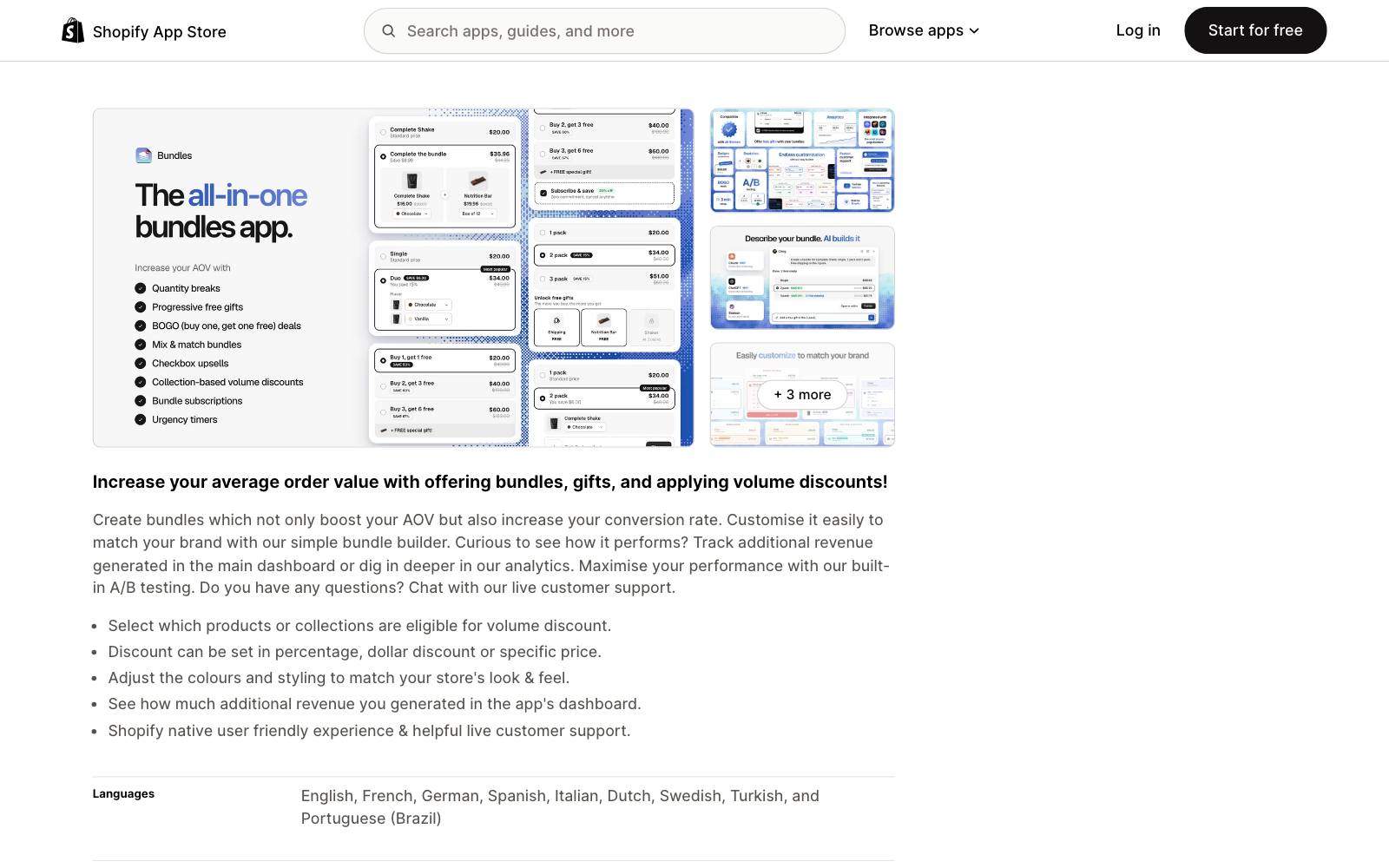
Best for: Brands that want a "buy 1, 2 or 3" quantity-breaks selector above the add-to-cart button.
What it does: Kaching adds volume discounts, quantity breaks, BOGO and bundle offers to the product page.
You can set the discount as a percentage, a dollar amount or a fixed price, and track the extra revenue in its dashboard.
It has the most reviews of any app on this list.
Key features:
- Volume discounts on chosen products or collections.
- Percentage, dollar or specific-price discounts per tier.
- Styling controls to match your theme.
- Works with Shopify Checkout and Shopify POS, per its listing.
Pros:
- 5.0 rating from 6,608 reviews, with live chat support on every plan.
- Built for Shopify badge.
- Unlimited bundle deals on every paid plan.
Cons:
- No free plan for live stores.
- Plans are capped by the extra revenue the app generates ($1,000, $5,000, $10,000), so a winning offer pushes you up a tier.
- Focused on the product page. Cart-level tiered rewards need another app.
Pricing: Starter $14.99/month, Scale $29.99, Pro $59.99, each with a 7-day trial (as of November 2026).
Rating: 5.0 from 6,608 reviews on the Shopify App Store.
In our archive: Oliver Kenyon added a 3-pack bundle with "Save 20%" above Add to Cart and measured +$52,820 per month.
This is the exact layout quantity-breaks apps build.
3. Bundler
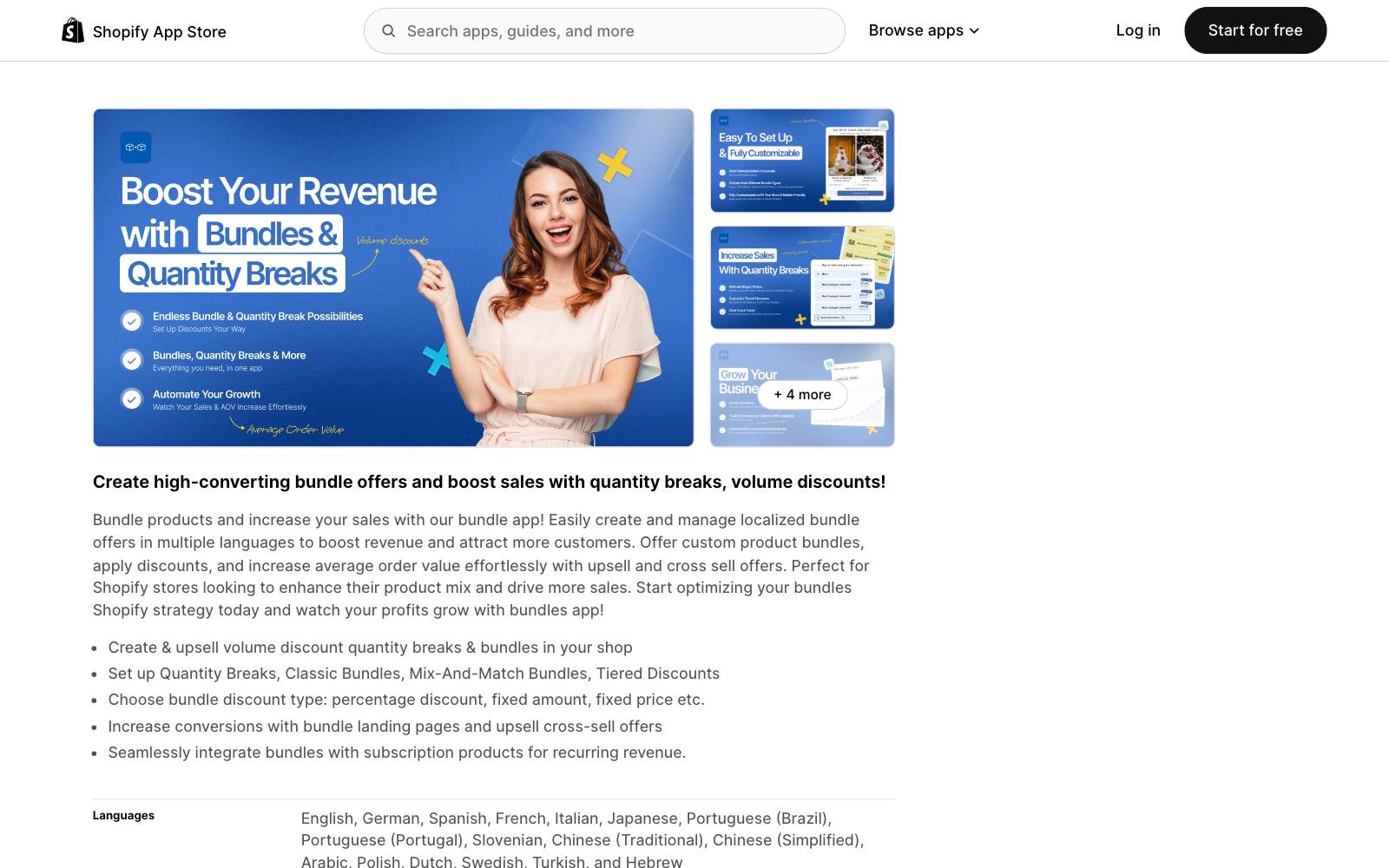
Best for: Small stores that want volume discounts without a monthly bill.
What it does: Bundler's free plan already includes Buy X Get Y, volume discounts, quantity breaks, auto-applied discounts and Shopify POS support, with no cap on revenue or orders.
Paid plans add mix-and-match tiers, landing pages and analytics.
Key features:
- Quantity breaks, classic bundles and tiered discounts.
- Percentage, fixed amount or fixed price discounts.
- Bundle landing pages and funnel upsells on Premium.
- Works with subscription products.
Pros:
- The most generous free plan here: unlimited revenue and orders.
- Flat pricing that does not rise as the offer earns more.
- 4.9 from 2,773 reviews.
Cons:
- Analytics are locked to the $19.99 Executive plan.
- Some recent reviews mention setup trouble and a lack of chat support.
- Less design control than Kaching for heavily styled product pages.
Pricing: Free; Premium $9.99/month; Executive $19.99/month (as of November 2026).
Rating: 4.9 from 2,773 reviews on the Shopify App Store.
In our archive: Conversion Fanatics showed a bulk discount banner right after add to cart on an electronics store and got +70.5% revenue per visitor.
4. BOGOS
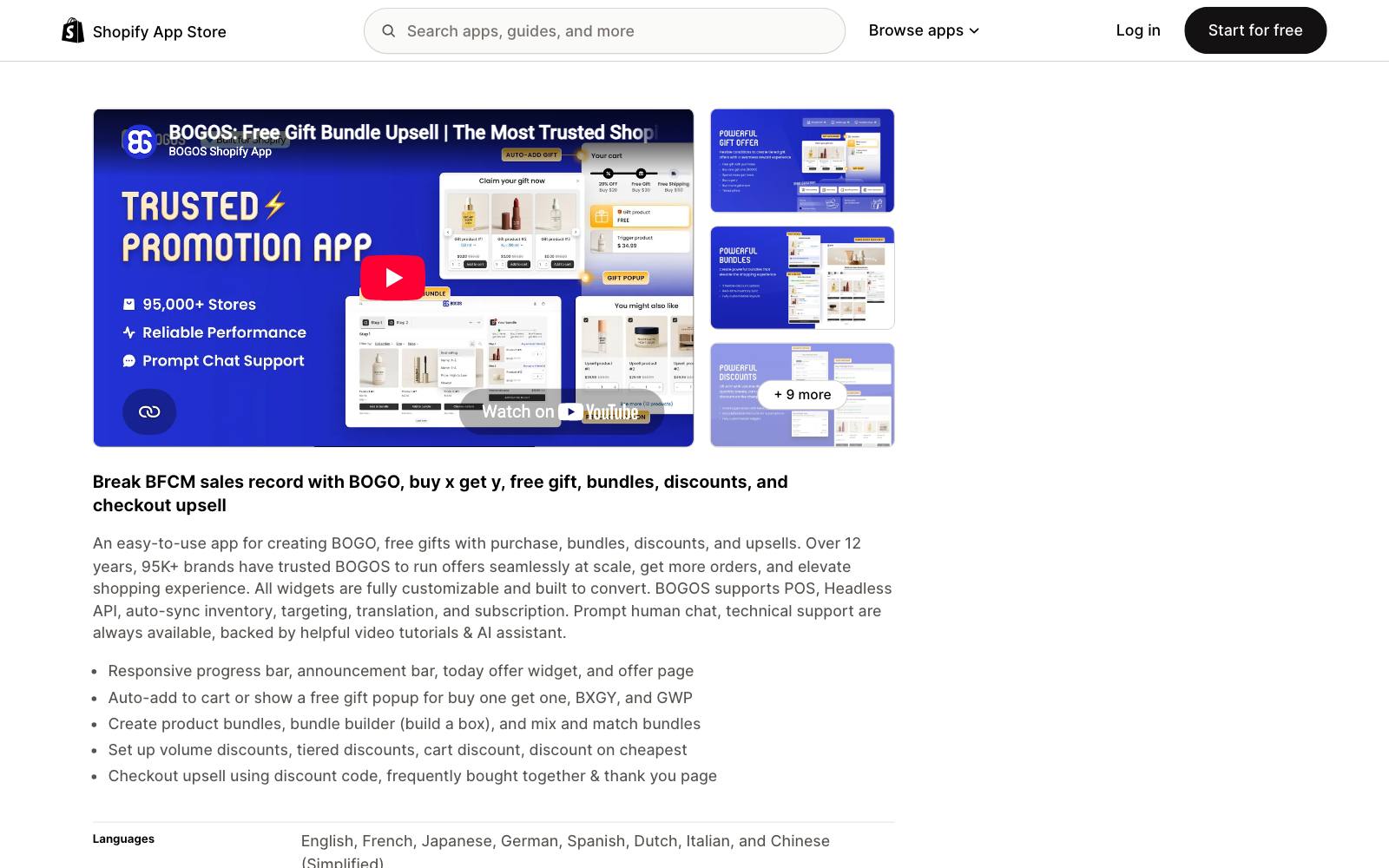
Best for: BOGO and free gift with purchase offers where the gift should land in the cart on its own.
What it does: BOGOS runs BOGO, Buy X Get Y and gift with purchase offers, and can auto-add the gift or show a gift picker popup.
It also covers volume and tiered discounts, bundles, a progress bar and checkout upsells.
That fixes the biggest gap in native Buy X Get Y.
Key features:
- Auto-add free gifts or a gift selection popup.
- Progress bar, announcement bar and an offer page.
- Volume, tiered and "discount on cheapest item" rules.
- Offers on Shopify POS from the Basic plan.
Pros:
- Covers every offer type in this article in one app.
- 5.0 from 4,597 reviews, with a Built for Shopify badge.
- Free plan to try the core features.
Cons:
- The free plan stops at 30 orders, lifetime.
- Paid plans include a set number of orders, then charge $0.05 per extra order.
- Price depends on your Shopify plan, up to $109.99/month on Shopify Plus.
Pricing: Free; Basic $29.99/month (300 orders); Grow $49.99 (600 orders); Plus $109.99 (2,000 orders) (as of November 2026).
Rating: 5.0 from 4,597 reviews on the Shopify App Store.
In our archive: BOGO cuts both ways. Dave Diederen introduced a BOGO offer for a deal-driven audience and saw +25% AOV over a weekend.
Milos changed a 2-pack to "Buy 2 Get 1 Free" at the same price and lost: -52.38% revenue per visitor.
5. Monk Free Gift
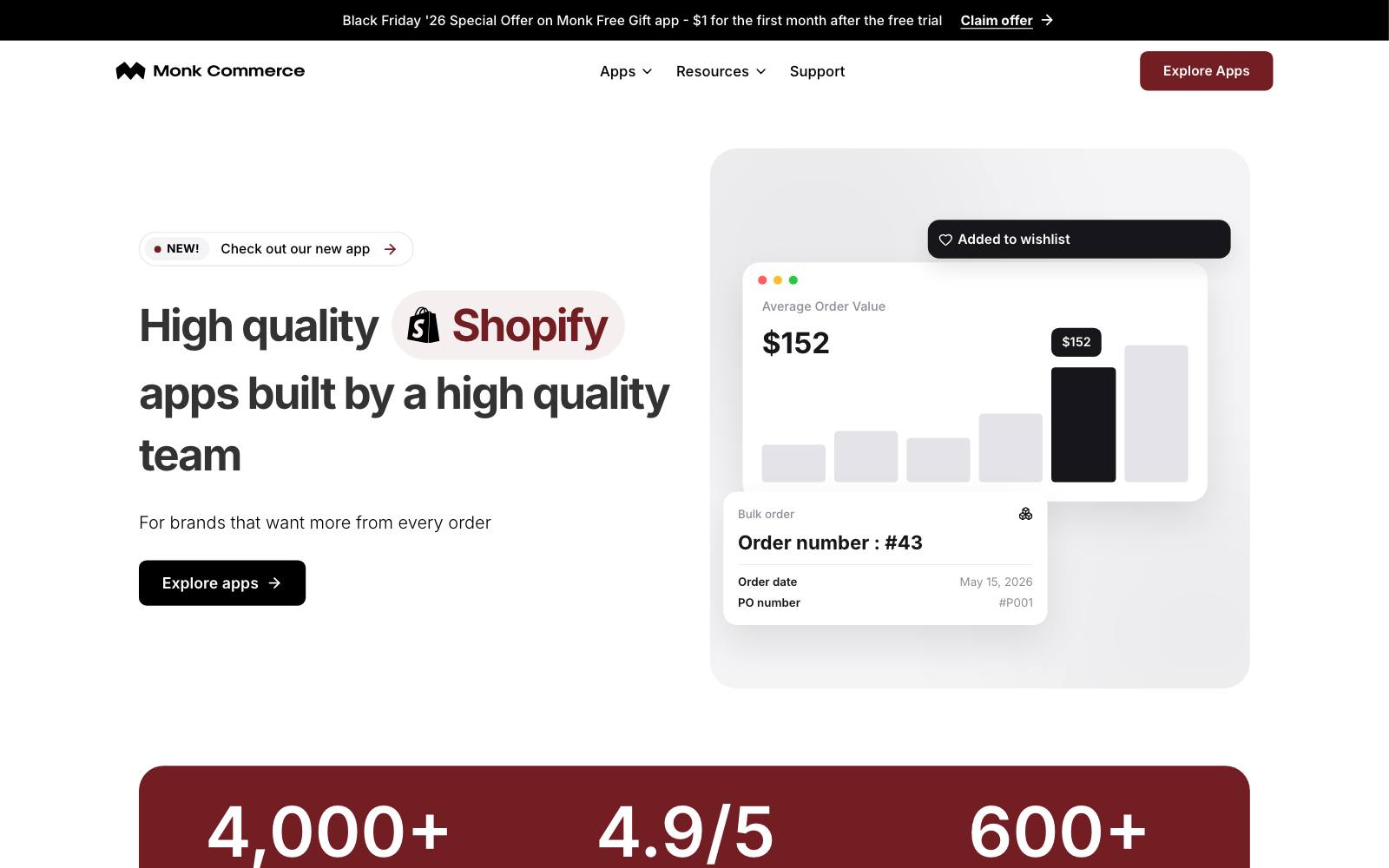
Best for: Stores that run gift with purchase all year and want one flat price with no per-order fees.
What it does: Monk runs free gifts, BOGO and Buy X Get Y offers based on products or cart value, plus upsells and quantity discounts across the product page, cart and checkout.
All features are on every plan, and Monk says it takes no commission.
Key features:
- Gift with purchase triggered by products or cart value.
- BOGO, Buy X Get Y and quantity discounts.
- Progress bars and offers in the cart and checkout.
- In-app editor and custom CSS.
Pros:
- Two flat tiers based on order count, with every feature included.
- 4.9 from 606 reviews, Built for Shopify badge.
- Free on development and sandbox stores.
Cons:
- No free plan for live stores.
- Jumps from $49 to $149/month once you pass 1,000 orders a month.
- More than a small store needs if you only run one gift offer a year.
Pricing: $49/month up to 1,000 orders a month, $149/month above that, 7-day trial.
The App Store listing showed a $1 first-month offer for Black Friday 2026.
Rating: 4.9 from 606 reviews on the Shopify App Store.
In our archive: The gift does not have to cost much.
Oliver Kenyon added a free Summer BBQ recipe e-book as a gift with product bundles and measured +$68,000/month.
6. Discount Ninja
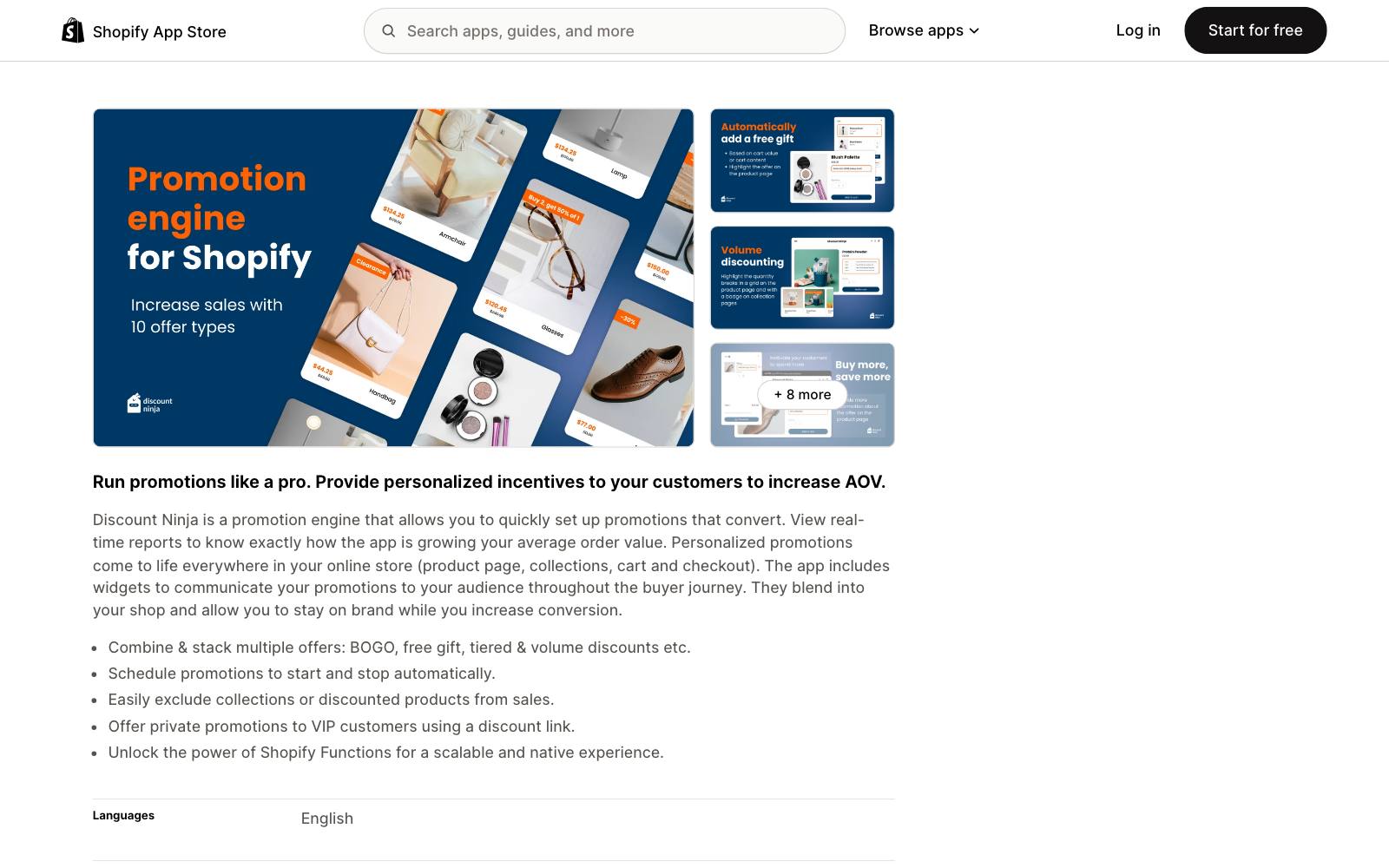
Best for: Larger stores with complex promotions: stacked offers, scheduled sales, VIP links and exclusions.
What it does: Discount Ninja is a promotion engine with 10+ offer types, including BOGO, free gifts, volume, tiered, cross-sell and fixed price discounts.
You can stack offers, schedule them to start and stop, exclude collections or already-discounted products, and send private offers through a discount link.
Key features:
- Stack multiple promotions on the same order.
- Scheduled campaigns that start and stop on their own.
- Private VIP offers through a link.
- Product exclusions so sale items are not discounted twice.
Pros:
- Handles promotion logic the simpler apps cannot.
- All plans include the full set of promotion types.
- 14-day trial, longer than most here.
Cons:
- The most expensive entry point on this list, with per-order fees after the included orders.
- 4.4 rating, and 14% of its 185 reviews are 1 star.
- No free plan. Overkill for a store that runs one sale at a time.
Pricing: Starter $49/month (500 discounted orders, then $0.20 each); Pro $99; Grow $199; Plus $399 (as of November 2026).
Rating: 4.4 from 185 reviews on the Shopify App Store.
In our archive:  Visually tested an auto-applied discount for paid traffic at Laura Geller Beauty and saw +15.9% revenue.
Targeting an offer to one traffic source is the kind of rule this app is built for.
7. Multiscount
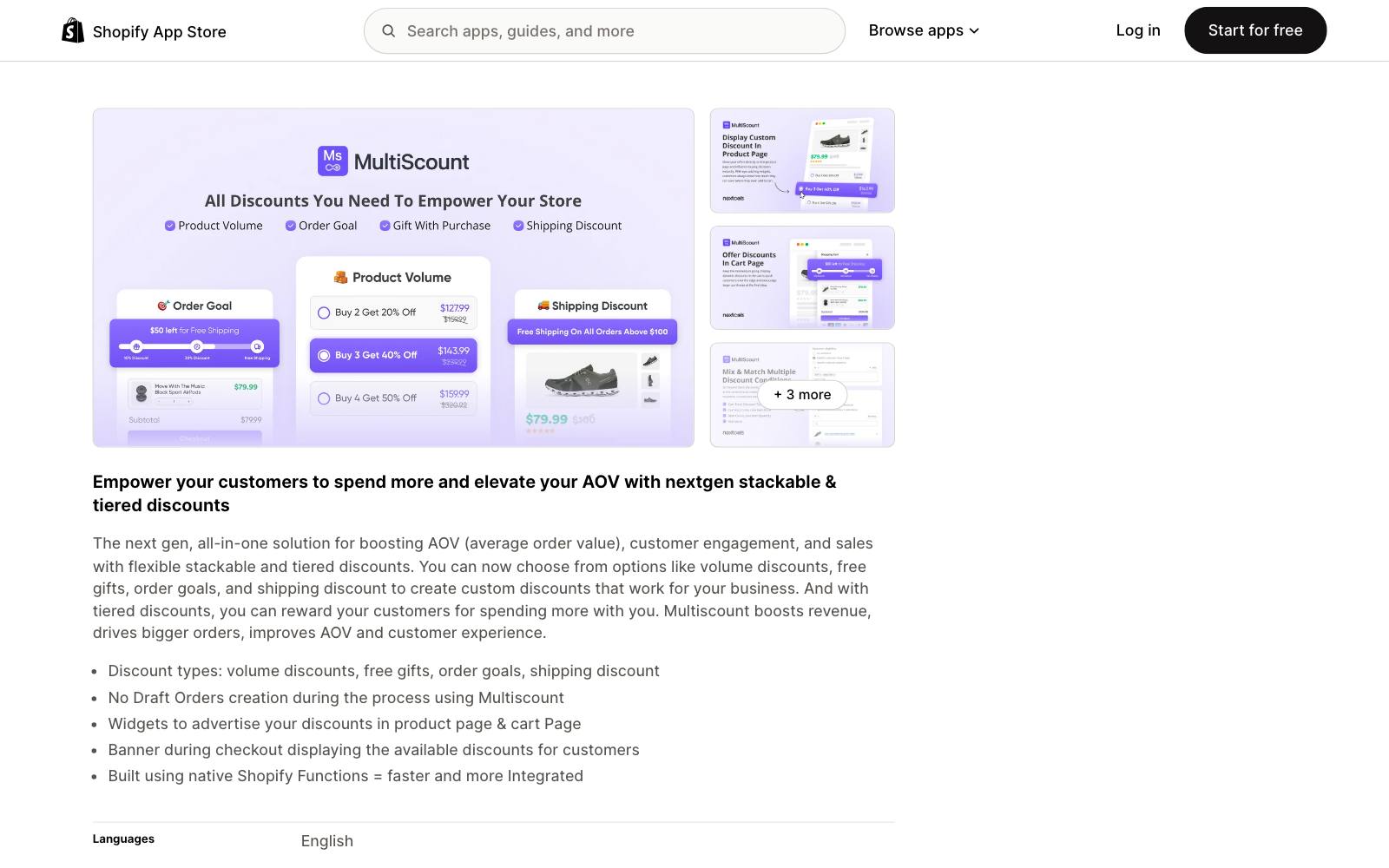
Best for: Budget-minded stores that want tiered order, product and gift discounts in one cheap app.
What it does: Multiscount offers stackable, tiered volume discounts, free gifts, order goals and shipping discounts.
It shows the offers in widgets on the product and cart pages and in a banner at checkout, and it does not create draft orders to apply discounts.
Key features:
- Up to 5 product, order and gift tiers on Premium; up to 12 on Advanced.
- Product page and cart widgets.
- Checkout banner listing available discounts.
- POS-only discounts on the Advanced plan.
Pros:
- The lowest paid price for true tiered discounts on this list.
- Flat pricing, no revenue caps.
- Built for Shopify badge.
Cons:
- Only 25 reviews, so there is less public feedback to go on.
- Some reviews mention needing support help to get it working.
- No free plan for live stores.
Pricing: Premium $8.99/month; Advanced $15.99/month, 7-day trial (as of November 2026).
Rating: 5.0 from 25 reviews on the Shopify App Store.
In our archive: ConvertPolo tested a tiered multi-buy discount on the product page at My Sanskritam and saw +7.48% revenue.
8. Upcart
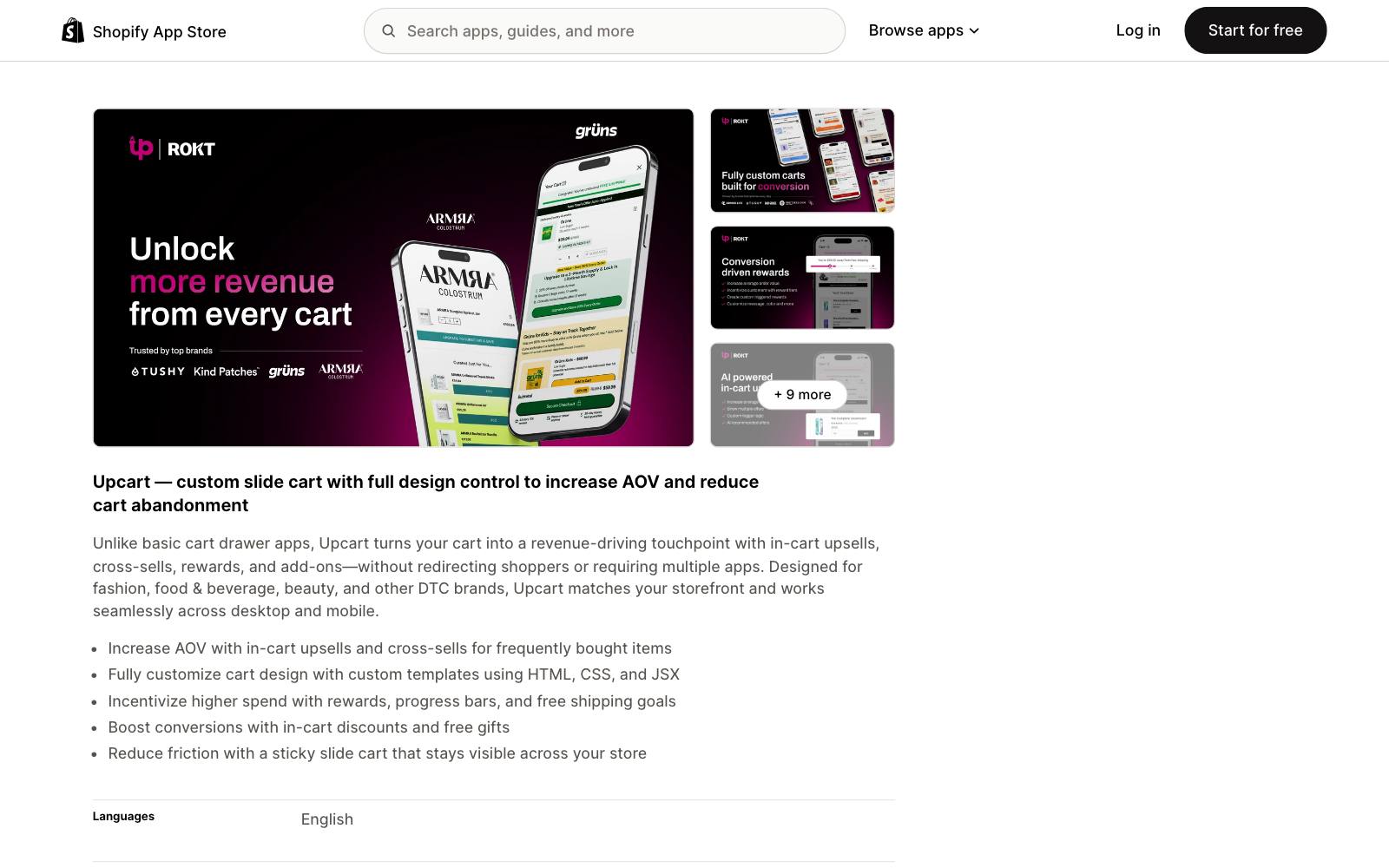
Best for: Tiered spend rewards ("spend $X, unlock free shipping, then a gift") shown in a slide-out cart.
What it does: Upcart replaces your cart with a custom cart drawer that includes a rewards progress bar, free shipping goals, in-cart discounts and free gifts, plus upsells and add-ons.
It suits stores whose main lever is the cart total, not a single product.
Key features:
- Rewards module with progress bars and free shipping goals.
- In-cart discounts and free gifts.
- In-cart upsells, cross-sells and add-ons.
- Custom templates with HTML, CSS and JSX.
Pros:
- Puts the tiered reward where shoppers decide to add more: the cart.
- 4.8 from 952 reviews.
- One app for cart rewards and cart upsells.
Cons:
- Priced by monthly store orders, and the bill rises with total orders, not discounted ones.
- No free plan for live stores.
- It replaces your cart drawer, which can clash with theme customizations or another cart app.
Pricing: $29.99/month up to 200 orders, $34.99 up to 500, $54.99 up to 1,000, 14-day trial (as of November 2026).
Rating: 4.8 from 952 reviews on the Shopify App Store.
In our archive: Oliver Kenyon added tiered spend rewards in the cart (free shipping plus bonus items) and measured +$57k/month.
Convertibles saw +$50,099/month in revenue from a free gift progress line in the cart drawer.
Which one is right for you
You run a few sales a year
Use Shopify's native discounts. Add a rollout to test the offer before Black Friday.
You want "buy more, save more" on the product page
Bundler if you want it free, Kaching if you want more design control and are fine with revenue-based tiers.
You want to raise the cart total with tiered rewards
Upcart for a cart drawer with a rewards bar.
Multiscount if you want cheap tiered order discounts and keep your current cart.
You run BOGO or gift with purchase often
BOGOS for the widest set of offer types, Monk for flat pricing with no per-order fees.
You sell wholesale too
Try Shopify's native B2B volume pricing first. It now works on Basic, Grow and Advanced, up to 3 active catalogs.
You run complex, layered promotions
Discount Ninja, if the budget allows $49/month or more.
What to look for in a Shopify discount app
- The offer types you will actually run: Tiered, volume, BOGO and gift with purchase need different features, so match the app to your offer calendar.
- How it applies the discount: Apps built on Shopify's discount system are less likely to break at checkout than apps that create draft orders.
- Auto-add for gifts: If you give a free item, make sure the app adds it to the cart, because native Buy X Get Y does not.
- Stacking rules: Check how the app's offers combine with your codes and sale prices so you do not discount the same item twice.
- The pricing model: Revenue caps, order caps and per-order fees all grow as the offer works, so model a good month before you install.
- Where the offer shows: Product page, cart drawer and checkout placements suit different offers; pick the app that shows yours where shoppers decide.
- Page speed: Every widget adds script. Test your product page speed before and after install.
- A way to test it: Use a rollout or an A/B testing tool such as those in our Shopify A/B testing apps list, so you know the discount pays for itself.
Real test results
Discounts are one of the most tested offers in our database, across ecommerce, SaaS and apps.
The format and the audience decide the result more than the app does.
 @oliverkenyon@oliverkenyon@oliverkenyon
 Conversion Fanatics
 @CROguy_
The same holds outside ecommerce. Meebox, a SaaS company, offered 20-40% off for a 2-year term on its pricing page and saw +121.56% revenue.
BoldVoice, a mobile app, tried an unclosable discount offer after dismiss and lost: more trial starts, but refunds rose by more than the gain.
For more patterns, see our pricing and discount tests.
Watch out for
Discounts that cost more than they earn
A higher conversion rate can still mean less profit.
Oliver Kenyon lowered the price and removed the free gift ($82 vs $85 plus gift) and saw +46% CVR, so the gift was not pulling its weight.
Track revenue per visitor and margin, not only orders.
Our guide to raising AOV covers the metrics.
Discount clutter
More offers on screen is not always better.
Clean Commit got +20.1% add-to-cart by removing a mobile discount banner and pop-up.
Sq1 saw +24.7% revenue at Bionic Gloves after removing the coupon and gift card boxes from the cart, likely because an empty code box sends shoppers off to search for one.
App stacking and page speed
Discount, bundle, cart and popup apps often overlap.
Running two that both inject product page widgets or both replace the cart is a common source of slow pages and broken checkouts. Pick one app per job.
Fake urgency and discount dependence
Countdown timers on offers that never end, and a sale every week, teach shoppers to wait.
Keep real end dates, and only add a timer when the deadline is real.