




Unbounce is a landing page builder for marketers and agencies who run paid search, paid social and lead-gen campaigns and want to publish and test pages without a developer.
It is worth the price if you launch many campaign pages and get enough paid traffic to test them.
If you need only a few pages, or want to test your main website, a cheaper builder or a dedicated A/B testing tool is usually the better buy.
We have not used Unbounce ourselves. This review is based on Unbounce's own pricing page and help docs, public user reviews, and real landing page tests from the LiftArchive database.
LiftArchive may earn a commission if you sign up for Unbounce through our links.
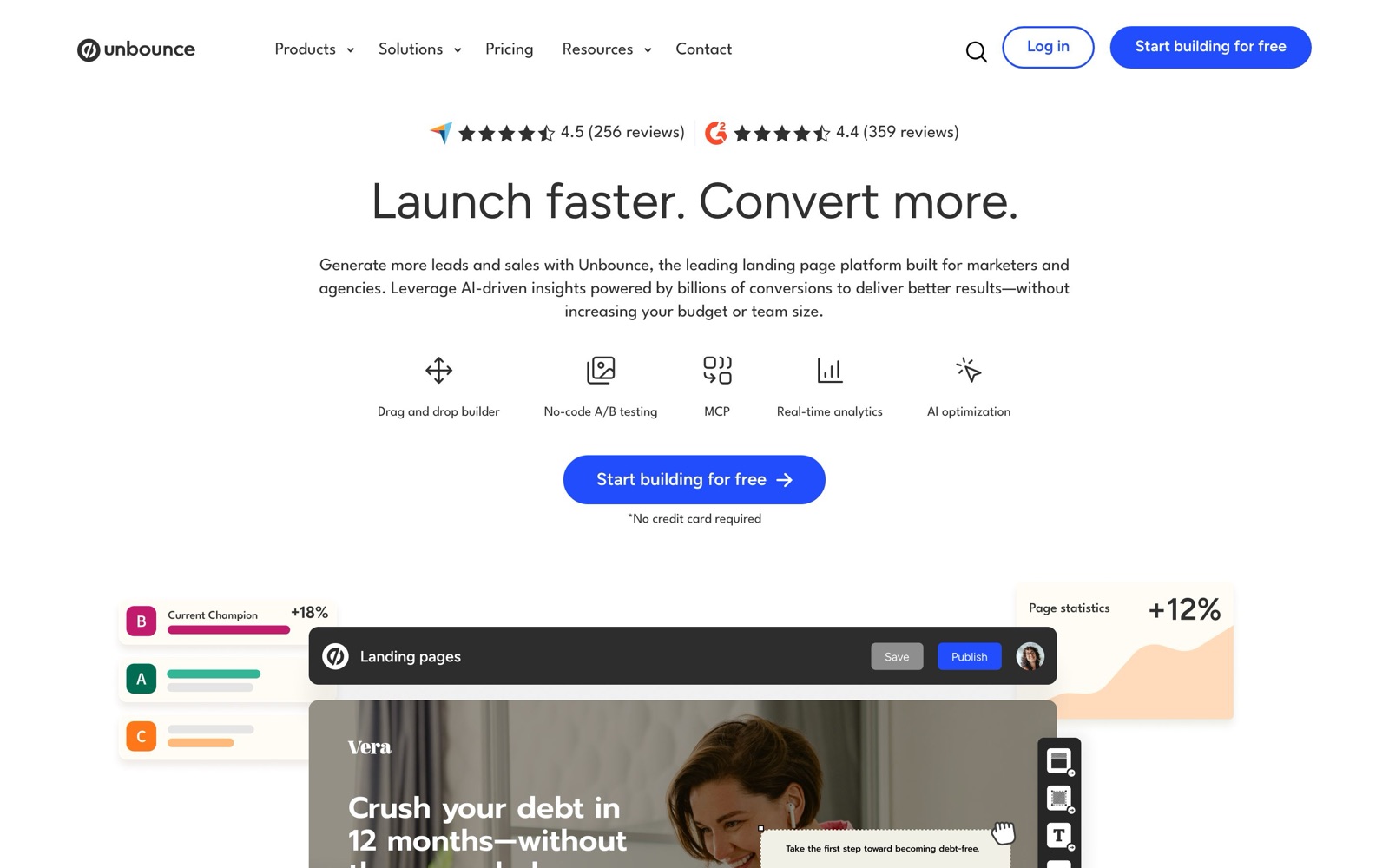
What Unbounce does: builder, A/B tests, Smart Traffic, popups and sticky bars
Unbounce is a hosted builder for standalone landing pages: pages built for one campaign and one goal, such as a form fill or a demo request.
You publish them on Unbounce's hosting, your own domain, or your WordPress site, according to its pricing FAQ.
The main features, per Unbounce's features page:
- Drag-and-drop builder. Templates, a separate mobile layout you can edit, and copy-and-paste of elements between pages.
- A/B testing. Split traffic between page variants and promote a winner from the Test Center.
- Smart Traffic. An AI routing mode that sends each visitor to the variant it predicts will convert best for them.
- Popups and sticky bars. Overlays you can add to any page on your site, triggered on arrival, after a delay, on scroll, on click or on exit, per the popups page.
- Dynamic Text Replacement. Swaps headline or text to match the visitor's search keyword, which helps with ad-to-page message match.
- Unbounce AI. An AI copywriting assistant inside the builder that rewrites, expands or shortens copy, plus an MCP server that lets assistants like Claude and ChatGPT build and manage pages.
- Integrations. Lead routing to tools like Salesforce, HubSpot and Mailchimp, with 1,000+ integrations listed on paid plans.
In July 2024 Unbounce acquired the CRM Insightly, per its About page, so it now sells a CRM alongside the page builder.
Unbounce pricing and plans
As of November 2026, Unbounce's pricing page lists four self-serve plans plus custom Concierge and Agency plans.
Prices are per month. Paying annually lowers the price by 25%.
| Plan | Monthly billing | Annual billing (per month) | Visitors per month | Users / root domains | Testing | Best for |
|---|---|---|---|---|---|---|
| Starter | $29 | $22 | Up to 500 | 1 / 1 | None | Trying a handful of pages (5-page limit) |
| Build | $99 | $74 | Up to 20,000 | 1 / 1 | None | Unlimited pages, custom code and integrations |
| Experiment | $149 | $112 | Up to 30,000 | 3 / 2 | Unlimited A/B testing | Teams that want to split-test campaign pages |
| Optimize | $249 | $187 | Up to 50,000 | 5 / 3 | A/B testing plus Smart Traffic | High-spend PPC accounts with several audiences |
| Concierge / Agency | Contact sales | Custom | Custom | Custom | Large teams and agencies |
All plans include unlimited conversions, free hosting and templates.
Each plan also comes with AI credits, from 4,000 on Starter to 80,000 on Optimize.
Two pricing details matter more than the headline number:
- A/B testing starts at Experiment. If testing is your reason for buying Unbounce, the real entry price is $112 to $149 a month, not $22.
- Visitor limits. Unbounce counts each unique visitor once per month. If you go over your limit, pages keep running and Unbounce bills the extra traffic as a one-time overage fee, per the pricing FAQ. Heavy ad spend can push you onto a higher plan quickly.
Unbounce discount codes and free trial
Unbounce offers a 14-day free trial with no credit card required.
You get the features of the plan you pick, with some trial limits: one user, no custom domains, and capped traffic.
Because Smart Traffic only runs on custom domains, you can't fully test it during the trial.
The one discount on Unbounce's own pricing page is the 25% saving for annual billing.
We found no official public coupon code. Codes on coupon sites are often expired or are the same annual saving under another name, so check the final price at checkout before you count on one.
A practical way to save: start on Build while you create your first pages, then move up to Experiment once you have enough traffic to test.
According to the pricing FAQ, upgrades take effect right away, while downgrades wait until the end of your billing cycle.
A/B testing and Smart Traffic: what they really do
Classic A/B testing
You give each variant a traffic weight, and Unbounce randomly assigns visitors and sets a cookie so returning visitors see the same version.
The Test Center reports a confidence rating from a chi-square test.
Unbounce's docs say 95% or higher is enough to promote or discard a variant, and suggest waiting about two weeks before reading results.
That is a basic frequentist setup. There's no built-in sample-size planning, and the "two weeks" rule doesn't replace working out how much traffic you need.
Our guide to statistical significance explains why checking confidence early can produce false winners.
Landing pages are where this kind of testing pays off.
These results from our database are the type of test Unbounce is built for:
- Penn Foster built a dedicated landing page for brand search ads and saw +202% click-to-lead.
- MECLABS Institute tested a long, agent-focused Medicare landing page against a shorter one and recorded +638% leads.
- KlientBoost moved testimonials higher on a lead page, and conversion went from 12.28% to 23.62%.
- HubSpot found that removing landing page navigation gave up to +28% conversions.
- CleanChoice Energy tested a timed email pop-in against a footer button and got +204% email sign-ups. That's the kind of test Unbounce's popups are for.
 KlientBoostKlientBoost
Smart Traffic
Smart Traffic is not an A/B test. Unbounce describes it as a contextual multi-armed bandit: it looks at visitor attributes such as location, device, browser, operating system and timezone, then sends each visitor to the variant it expects to convert best.
Unbounce says it starts optimizing after about 30 to 50 visitors, and each variant added later needs 30 more.
That makes it useful when the goal is more conversions now, especially when different audiences land on the same URL.
The trade-off is learning. Smart Traffic doesn't tell you which variant is better overall with a significance level.
Instead, it reports a "lift percentage," which Unbounce says is an estimate from a statistical model, per its Smart Traffic FAQ.
You can't take that result and apply it to the rest of your site the way you can with a clean A/B test.
Limits listed in the docs:
- It works only on pages published to a custom domain.
- Editing or republishing a page sends it back to the learning phase.
- It doesn't work on popups or sticky bars.
- It judges each URL on its own, not the whole funnel.
Our rule of thumb: use A/B tests when you want to learn what works, such as a headline, an offer or a page length.
Use Smart Traffic when you have several finished variants for different audiences and just want the most leads.
On low traffic, read our low-traffic testing guide first.
Who Unbounce fits, and who it doesn't
Good fit:
- PPC and paid social teams that build a separate page for each ad group or audience and want ad-to-page message match without waiting on developers.
- Lead-gen businesses such as insurance, finance, home services and education, where one form is the whole goal. Our lead-gen landing page guide covers what to test first.
- Agencies that manage many client accounts. Unbounce supports per-client accounts, user permissions and page copying between accounts.
Not a good fit:
- Testing your main website, checkout or product pages. Unbounce only tests pages built in Unbounce. Use a site-wide testing tool such as VWO or Convert instead.
- Shopify stores. Builders that work inside your theme usually fit better. See our landing page builder roundup.
- Small budgets with low traffic. With testing locked to Experiment and above, and a Starter plan capped at 500 visitors, you pay a lot per test.
Public reviews point to the same weak spots.
On TrustRadius, users praise the drag-and-drop builder and how fast it is to launch pages.
Their complaints include price, mobile layouts that can be awkward to format, and no way to make the same edit across many pages at once.
Unbounce alternatives
- Instapage. The closest rival, also aimed at teams running paid traffic to dedicated landing pages. See our Instapage review.
- Leadpages. Simpler and usually cheaper. A fit for small businesses and creators who care more about page count than testing. Read our Leadpages review.
- A testing tool on your own site. If your landing pages already live in your CMS, VWO or Convert can test them along with the rest of your site.
For a wider list, see our Unbounce alternatives page.
Whichever tool you choose, the tests that win on landing pages are usually about message, proof and friction rather than tool features.
KlientBoost's shorter lead page with benefits up top (in the test grid above) lifted step-1 conversion from 37.26% to 40.40%.
Plan your first test around changes like that.