



For most Shopify stores, the best free shipping bar app is Hextom: Free Shipping Bar if you want a bar at the top of the page, and Essential Free Shipping Bar if you want the bar on product pages and in the cart too.
Both have free plans. If you also want a new cart drawer, pick Kaching Cart on a budget or Upcart for more design control.
On WooCommerce, start with the free Free Shipping Label and Progress Bar plugin.
How we picked: we read each app's public listing, pricing page and docs, checked ratings on the Shopify App Store and WordPress.org in November 2026, and matched each app to the free shipping tests in our archive.
We have not installed or used these apps ourselves.
A free shipping bar only works if the threshold behind it makes sense, so read our guide to free shipping thresholds before you pick a number. The bar is the easy part.
Free shipping bar apps compared
| Tool | Best for | Starting price (as of November 2026) | Free plan or trial | Rating (source) |
|---|---|---|---|---|
| Hextom: Free Shipping Bar | A top-of-page bar with geo targeting | Free; Premium $9.99/mo | Free plan; 7-day trial on Premium | 4.9 from 3,049 reviews (Shopify App Store) |
| Essential Free Shipping Bar | Bars on product pages, cart and drawer | Free; paid from $9.99/mo | Free plan (1,000 views/mo); 7-day trial | 5.0 from 988 reviews (Shopify App Store) |
| Kaching Cart | A low-cost cart drawer with a shipping bar | $9.99/mo (up to 99 orders) | 14-day trial; free on development stores only | 5.0 from 1,603 reviews (Shopify App Store) |
| Upcart | Full cart drawer design control | $29.99/mo (up to 200 orders) | 14-day trial; free on development stores only | 4.8 from 952 reviews (Shopify App Store) |
| Amp Slide Cart | Flat pricing that doesn't grow with orders | Free; progress bar from $29.99/mo | Free plan (no progress bar); 7-day trial | 5.0 from 781 reviews (Shopify App Store) |
| iCart | New stores that want everything free at first | Free for first 100 orders; then $9/mo | Free up to 100 orders | 4.7 from 451 reviews (Shopify App Store) |
 Rebuy Smart Cart | Larger brands already using Rebuy | From $25/mo per package | 14-day trial | Not listed (app not currently on the App Store) |
| Free Shipping Label and Progress Bar | WooCommerce stores | Free; Pro $69/yr | Free version | 5 stars from 43 ratings (WordPress.org) |
| Freetop (VillaTheme) | A second free WooCommerce option | Free | Free plugin | 4.7 from 40 ratings (WordPress.org) |
The 9 best free shipping bar apps
1. Hextom: Free Shipping Bar
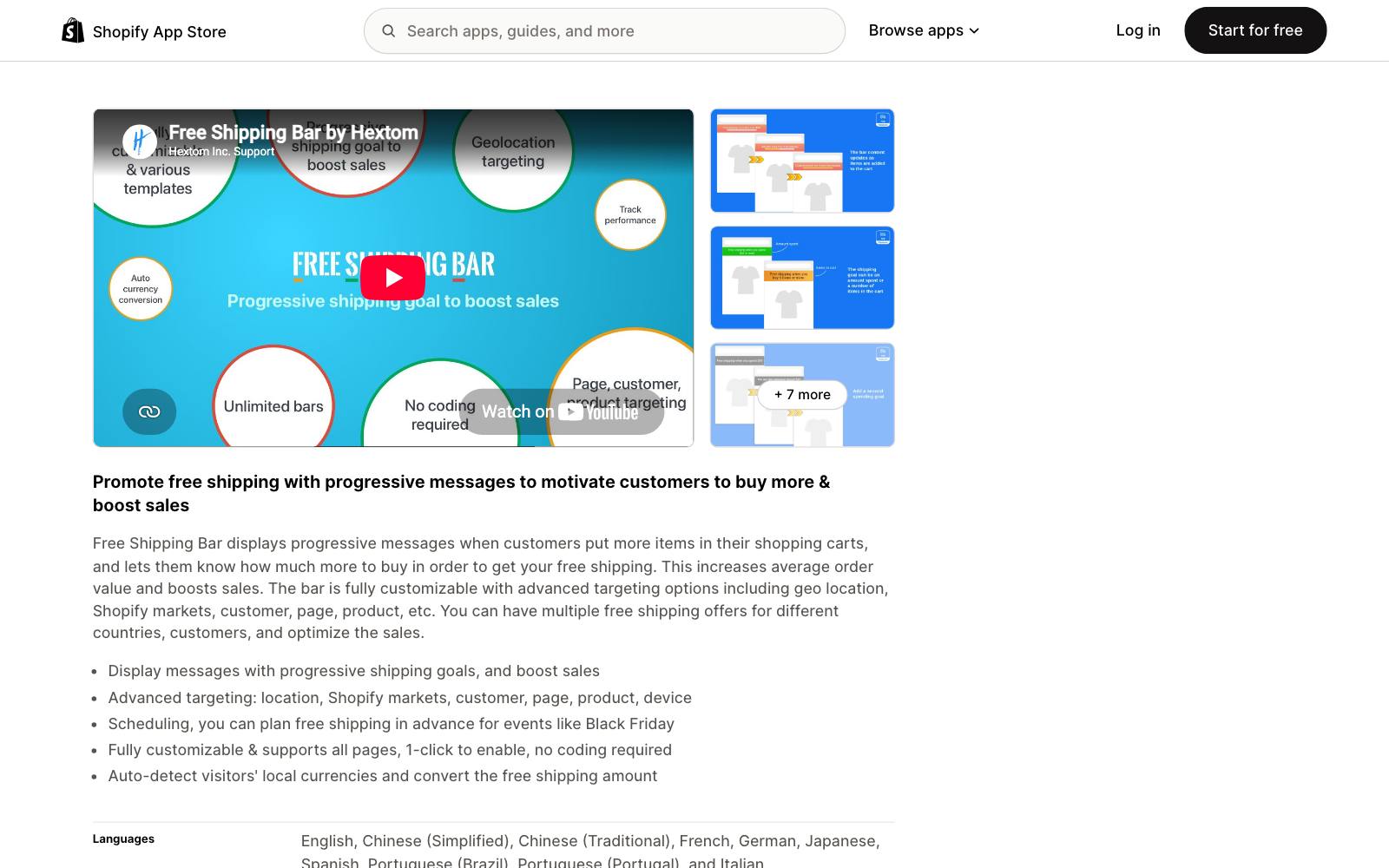
Best for: Shopify stores that want a simple, free bar at the top of every page, with different offers by country.
What it does: Hextom shows a bar that updates as the cart fills, telling shoppers how much more they need to spend for free shipping.
It has been on the Shopify App Store since September 2015 and is the most-reviewed app in this list.
It is a bar app, not a cart app, so it won't change your cart drawer.
Key features:
- Progressive messages that change as the cart total grows
- Targeting by location, Shopify Markets, customer, page, product and device
- Scheduling for events like Black Friday
- Auto currency conversion of the threshold
Pros:
- Free plan covers a fully customizable bar with page and device targeting
- Large review base (3,049 reviews)
- Premium is cheap at $9.99/mo
Cons:
- Lives at the top or bottom of the page, not inside the cart drawer
- Unlimited bars, geo targeting and tracking need Premium
- No upsells, so it can't suggest what to add
Pricing: Basic is free. Premium is $9.99/mo or $99/yr with a 7-day trial (Shopify App Store pricing, November 2026).
Rating: 4.9 from 3,049 reviews on the Shopify App Store.
In our archive: A top-of-page bar is an announcement bar.
GrowthHit added a sitewide sticky "FREE SHIPPING" banner for a beauty store and got +8% purchases (run on  Convert).
Oliver Kenyon made the homepage bar clickable, linking to best sellers, and reported +$45,225 per month.
2. Essential Free Shipping Bar
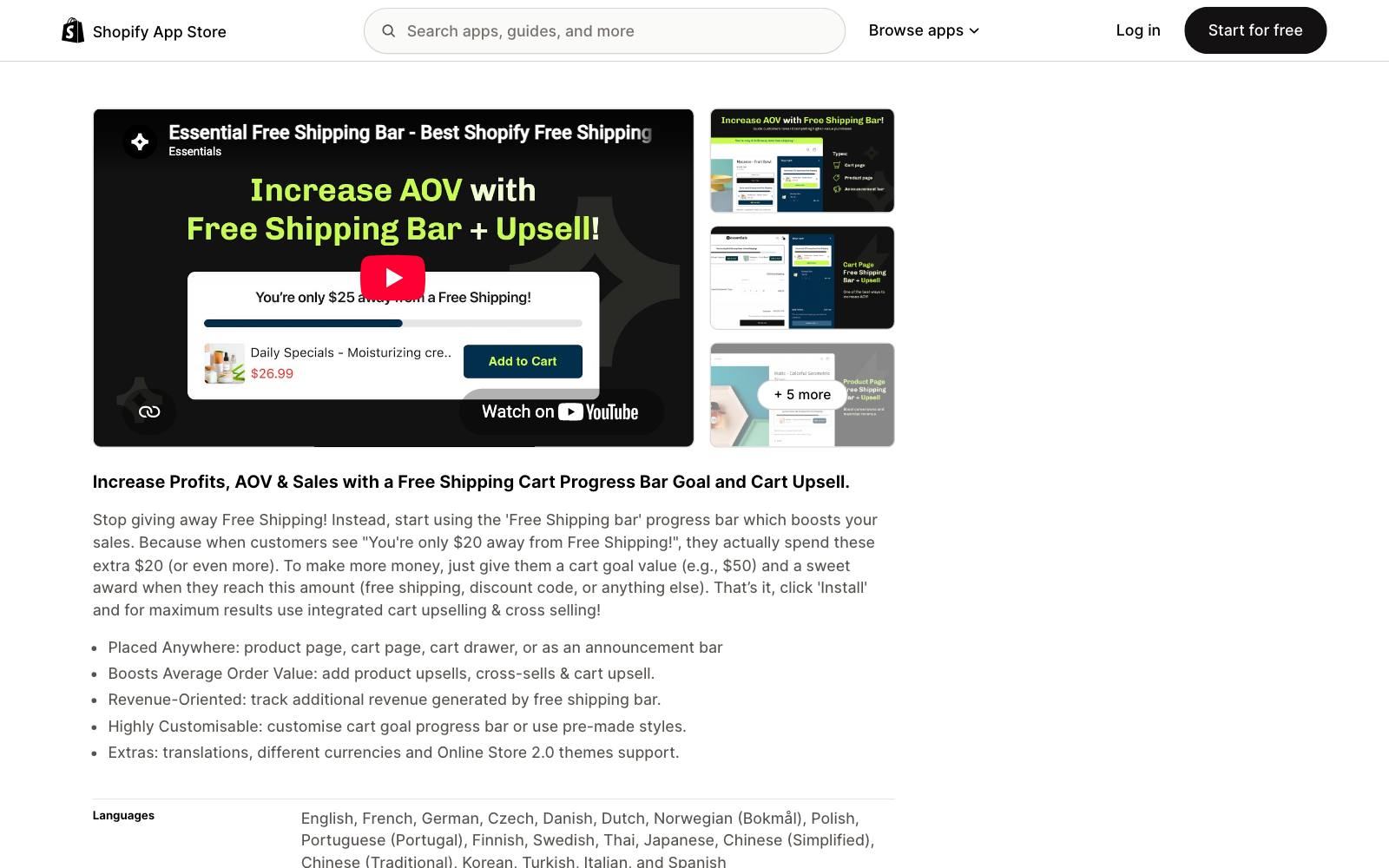
Best for: Stores that want the bar near the Add to Cart button and in the cart, not only at the top.
What it does: Essential lets you set a cart goal and a reward, then shows progress toward it.
You can place it on the product page, cart page, cart drawer or as an announcement bar.
Higher plans add upsell products under the bar and revenue tracking.
Key features:
- Placement on product page, cart page, cart drawer or top bar
- Reward can be free shipping, a discount code or something else
- Geolocation targeting and product exclusions on paid plans
- Analytics on additional revenue from the bar
Pros:
- Free plan includes unlimited top bar and product page bars
- Works with your existing cart drawer instead of replacing it
- Perfect 5.0 average across 988 reviews
Cons:
- Free plan caps you at 1,000 bar views a month, which a busy store passes fast
- Cart page bars and upsells need the $14.99 Essential plan
- Plans are priced on views, so cost grows with traffic
Pricing: Free up to 1,000 monthly views. Starter $9.99/mo (10,000 views), Essential $14.99/mo (50,000 views), Professional $29.99/mo (unlimited), each with a 7-day trial (Shopify App Store pricing).
Rating: 5.0 from 988 reviews on the Shopify App Store.
In our archive: Placement near the button matters.
Dave Diederen added "Ships by [date]" and "Free shipping over $X" below the Add to Cart button and got +28.25% revenue per visitor.
Showpo's mobile free-shipping strip on product pages returned +6.09% revenue in a  VWO test.
3. Kaching Cart
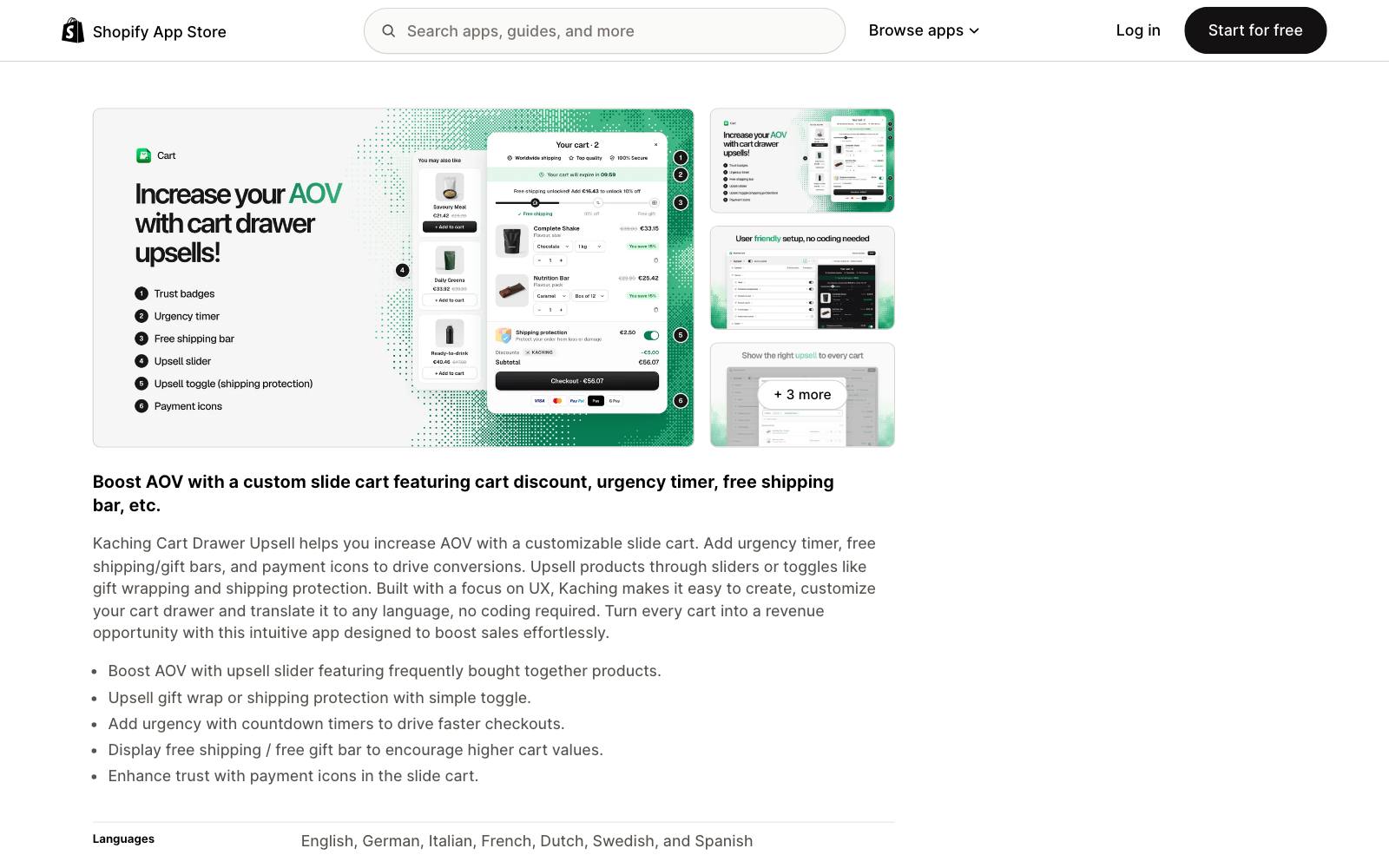
Best for: Stores that want a new slide cart with a free shipping bar, on a small budget.
What it does: Kaching Cart replaces your cart with a customizable slide cart.
Free shipping and free gift bars, an urgency timer, upsell sliders and toggles for things like shipping protection are all in every paid plan.
It's newer than the others here (launched December 2024) but has built a large review base quickly.
Key features:
- Free shipping bar and free gift bar in the drawer
- Upsell carousel with frequently bought together products
- Toggle upsells such as gift wrap or shipping protection
- Translation into any language
Pros:
- Low entry price at $9.99/mo for small stores
- All features on every plan; you pay for order volume
- Built for Shopify badge
Cons:
- No free plan for live stores, only a 14-day trial
- Price rises with monthly orders
- Replacing your cart drawer means checking theme and app conflicts
Pricing: $9.99/mo up to 99 orders, $14.99/mo up to 199, $24.99/mo up to 499, with a 14-day trial; free on development stores (Shopify App Store pricing).
Rating: 5.0 from 1,603 reviews on the Shopify App Store.
In our archive: Convertibles added a free shipping progress bar with 10-pack and 15-pack upgrade buttons to a food brand's cart drawer and saw +24% RPV, at 88% probability to beat control, so treat it as directional.
4. Upcart
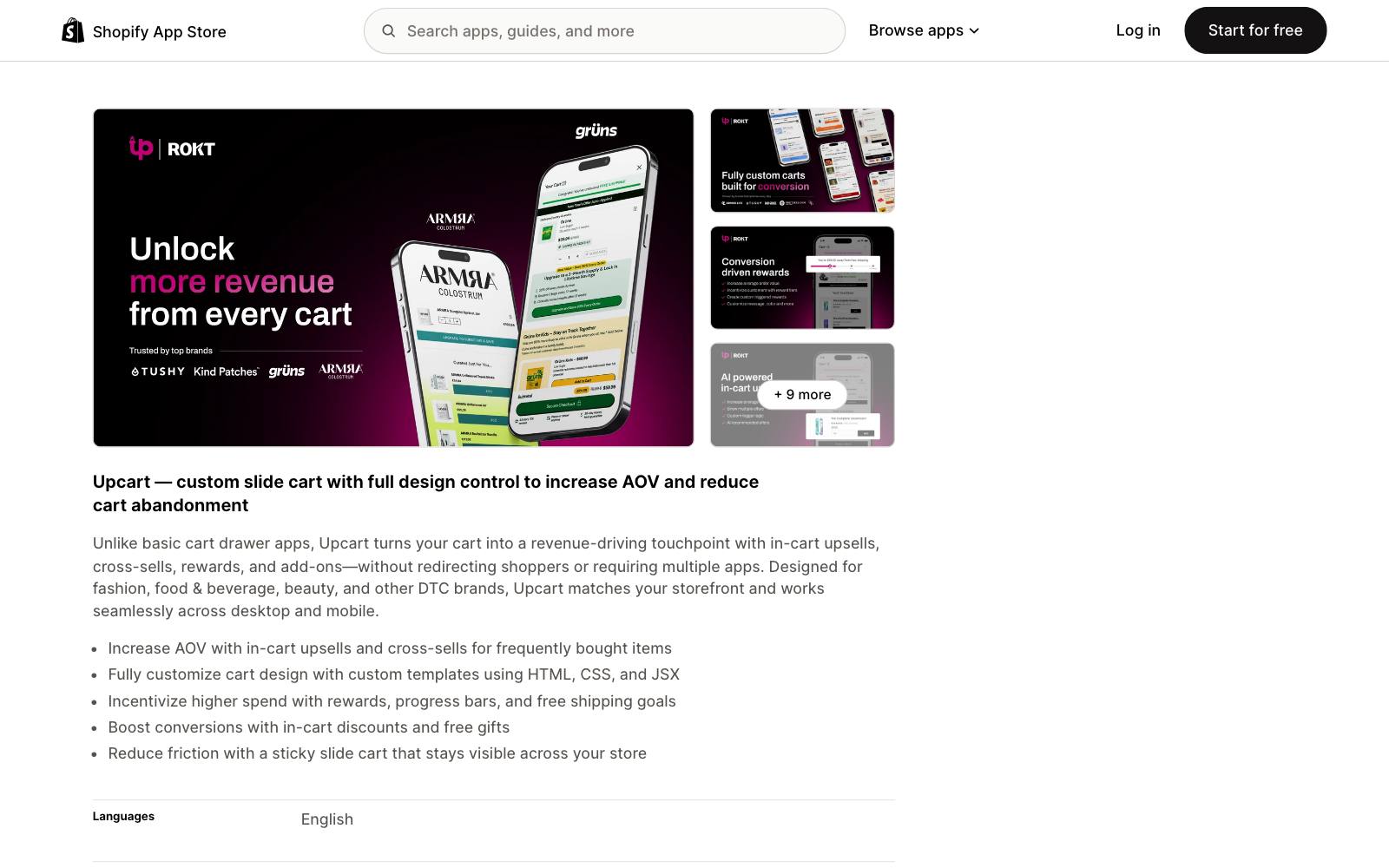
Best for: Brands that want a cart drawer that matches their design exactly.
What it does: Upcart is a slide cart builder with modules for rewards (its free shipping bar), upsells, add-ons and announcements.
You can write custom templates with HTML, CSS and JSX.
It's aimed at DTC brands in fashion, food and drink, and beauty.
Key features:
- Rewards module with progress bars and free shipping goals
- In-cart upsells, cross-sells, discounts and free gifts
- Custom HTML and CSS on every plan
- Sticky slide cart across the store
Pros:
- Deepest design control in this list
- Every plan includes all modules
- Built for Shopify badge
Cons:
- Starts at $29.99/mo, three times Kaching's entry price
- No free plan for live stores
- Custom code is powerful but needs someone who can write it
Pricing: $29.99/mo up to 200 orders, $34.99/mo up to 500, $54.99/mo up to 1,000, with a 14-day trial; free on development stores (Shopify App Store pricing).
Rating: 4.8 from 952 reviews on the Shopify App Store.
In our archive: Oliver Kenyon added tiered spend rewards to an apparel store's cart: free shipping at $75, then bonus items at higher totals.
Result: +$57k/month. Tiered rewards like this are what Upcart's rewards module is for.
5. Amp Slide Cart
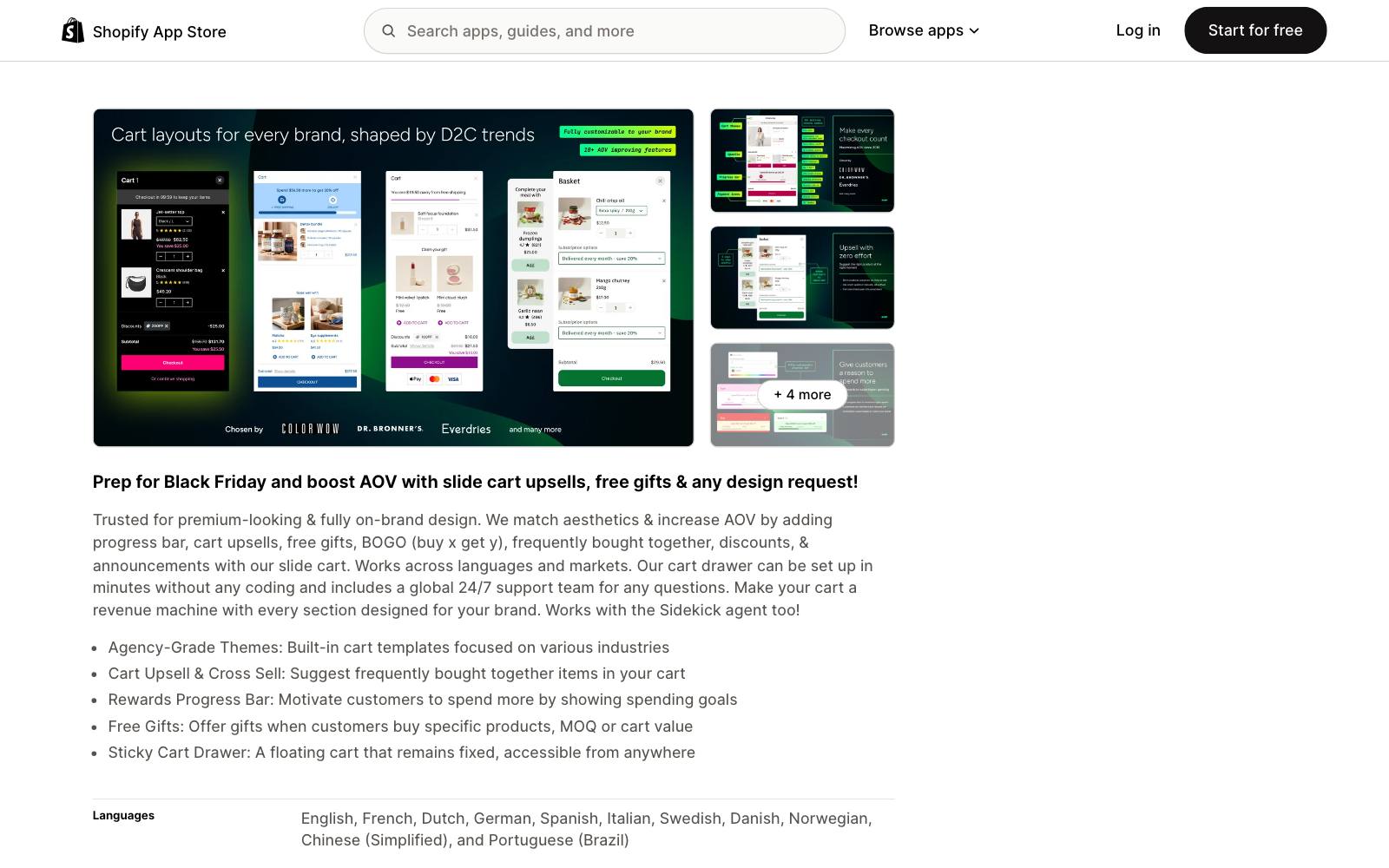
Best for: Growing stores that want a fixed monthly price no matter how many orders they get.
What it does: Amp is a slide cart with a rewards progress bar for free shipping and free gifts, upsells, BOGO offers and announcements.
It offers built-in cart templates by industry and says its prices never rise with sales.
Key features:
- Progress bar for free shipping and free gifts
- AI and manual upsells
- Free gift rules (buy X get Y, cart value)
- Industry cart templates
Pros:
- Flat pricing: $29.99/mo whether you get 100 orders or 10,000
- Free plan for a branded cart with trust badges and announcements
- Long track record (launched December 2019)
Cons:
- The free plan does not include the progress bar, so it isn't a free shipping bar on its own
- $29.99/mo is a lot for a small store that only needs a bar
- Free gift rewards bar is on the $49.99 Pro plan
Pricing: Free Forever plan without progress bar. Growth $29.99/mo includes the progress bar; Pro $49.99/mo adds free gift rewards. 7-day trial (Shopify App Store pricing).
Rating: 5.0 from 781 reviews on the Shopify App Store.
In our archive: Huron added a multi-tier free shipping and gift progress bar to its cart and got +3.2% AOV in a test run by  Visually. Conversion rate was not reported.
6. iCart
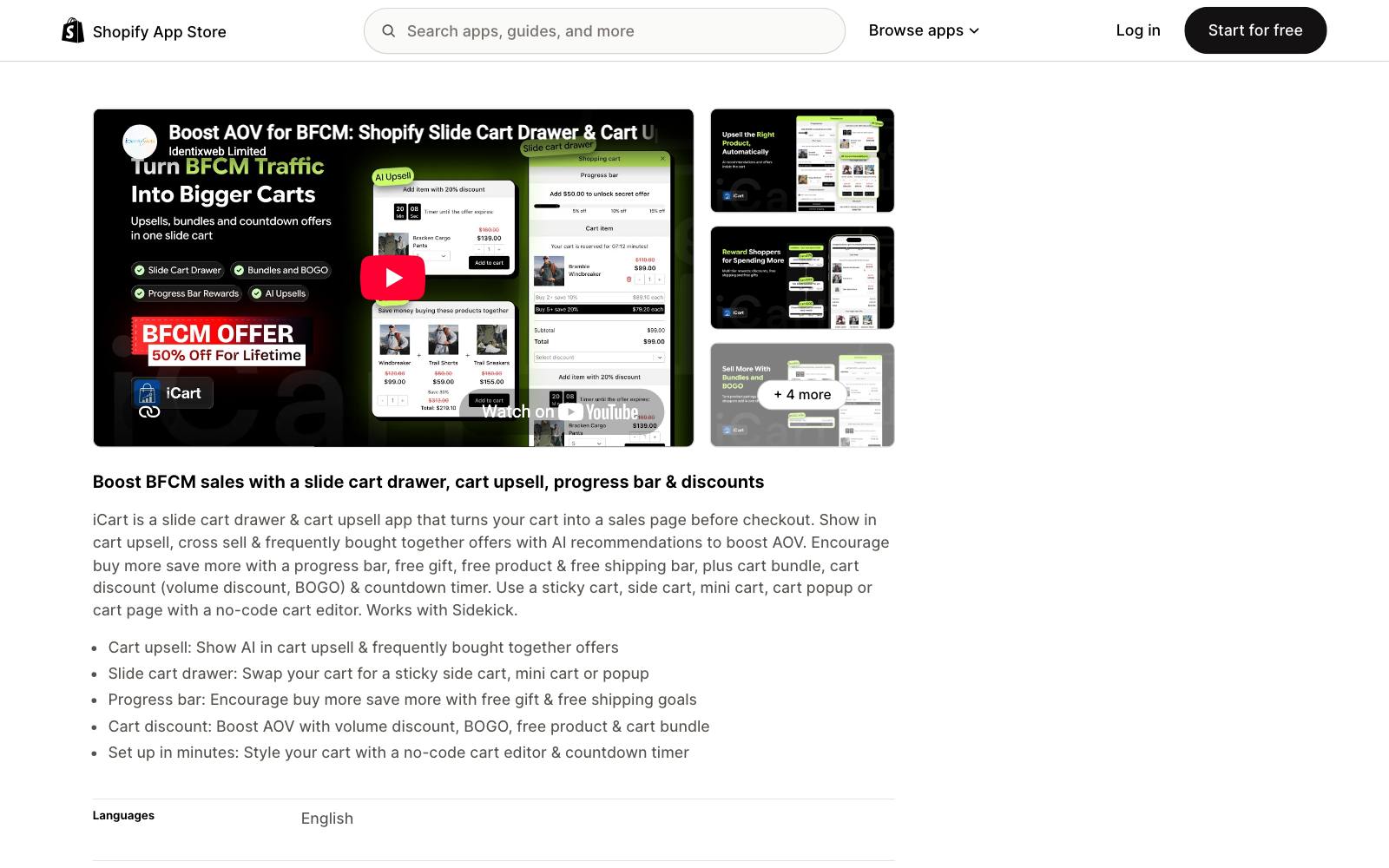
Best for: New stores that want a full cart drawer and shipping bar for free until they have traction.
What it does: iCart is a slide cart and cart upsell app with a progress bar for free shipping and free gifts, AI upsell recommendations, volume discounts and a countdown timer.
You can use it as a side cart, mini cart, popup or cart page.
Key features:
- Free shipping and free gift progress bar
- AI upsells and frequently bought together offers
- Volume discounts, BOGO and cart bundles
- No-code cart editor
Pros:
- Free for your first 100 orders, all features included
- Cheap after that at $9/mo up to 100 orders a month
- Many cart formats to choose from
Cons:
- Lowest rating in this list (4.7) and a smaller review base
- Includes countdown timers, which are easy to misuse
- Many features in one app can slow setup and the cart
Pricing: Free for the first 100 orders. Then $9/mo up to 100 monthly orders, $19/mo up to 200, $29/mo up to 500 (Shopify App Store pricing).
Rating: 4.7 from 451 reviews on the Shopify App Store.
In our archive: A progress bar can cut checkouts.
Clean Commit added free shipping progress to a mini cart and saw -5.9% conversion, +9.2% AOV.
The conversion drop was not significant, so it stays flat. Test before you trust it.
7. Rebuy Smart Cart
Best for: Larger Shopify brands that want the shipping bar inside a full personalization and upsell stack.
What it does: Smart Cart is Rebuy's slide-out cart, with a tiered progress bar for free shipping, discounts or gifts, plus AI upsells and subscription options.
It's part of a broader platform for upsells, checkout, search and A/B testing.
As of November 2026, the Rebuy listing says the app is not currently available on the Shopify App Store, so you sign up through Rebuy directly.
Key features:
- Tiered progress bar for free shipping, discounts or gifts
- Gift with purchase at set cart values
- Buy more, save more volume discounts
- 40+ app integrations
Pros:
- Strongest fit if you also want post-purchase, search and testing from one vendor
- Rewards and upsells share one data layer
- 14-day free trial
Cons:
- Overkill and too costly if all you need is a bar
- Pricing is per package and order volume, with exact numbers behind sales
- Not installable from the App Store right now
Pricing: "As low as $25/month" for one package, priced on orders per month, with a 14-day trial; larger plans go through sales (Rebuy pricing).
In our archive: Convertibles added one free gift progress line to the top of a slime brand's cart drawer: +$50,099/month in revenue.
Richer versions, including one that led with free shipping, did not beat it.
8. Free Shipping Label and Progress Bar (WooCommerce)

Best for: WooCommerce stores that want a free, maintained progress bar.
What it does: This plugin by Devnet adds an animated free shipping progress bar to the cart, checkout or mini cart, and reads the threshold from your WooCommerce shipping zones.
A built-in Gift Bar adds a free gift as a second goal, and version 4.0 added a live preview and design presets.
Key features:
- Animated progress bar in cart, checkout and mini cart
- Gift Bar module for a free gift goal
- Product labels for items that unlock free shipping alone
- Setup warnings when shipping zones don't match the bar
Pros:
- Free version covers the core bar and the gift goal
- 5,000+ active installs and updated in October 2026
- Uses your real shipping zone rules, so the bar and checkout agree
Cons:
- Discount tiers need a paid add-on
- WooCommerce only
- Small rating sample (43 ratings)
Pricing: Free on WordPress.org. Pro is $69/yr for one site, $139/yr for three, $209/yr for 50 (Devnet pricing).
Rating: 5 stars from 43 ratings on WordPress.org.
In our archive: La Redoute Portugal added a free-shipping threshold message and got +2.7% revenue per visitor. The same idea works on any platform.
9. Freetop: Free Shipping Bar for WooCommerce
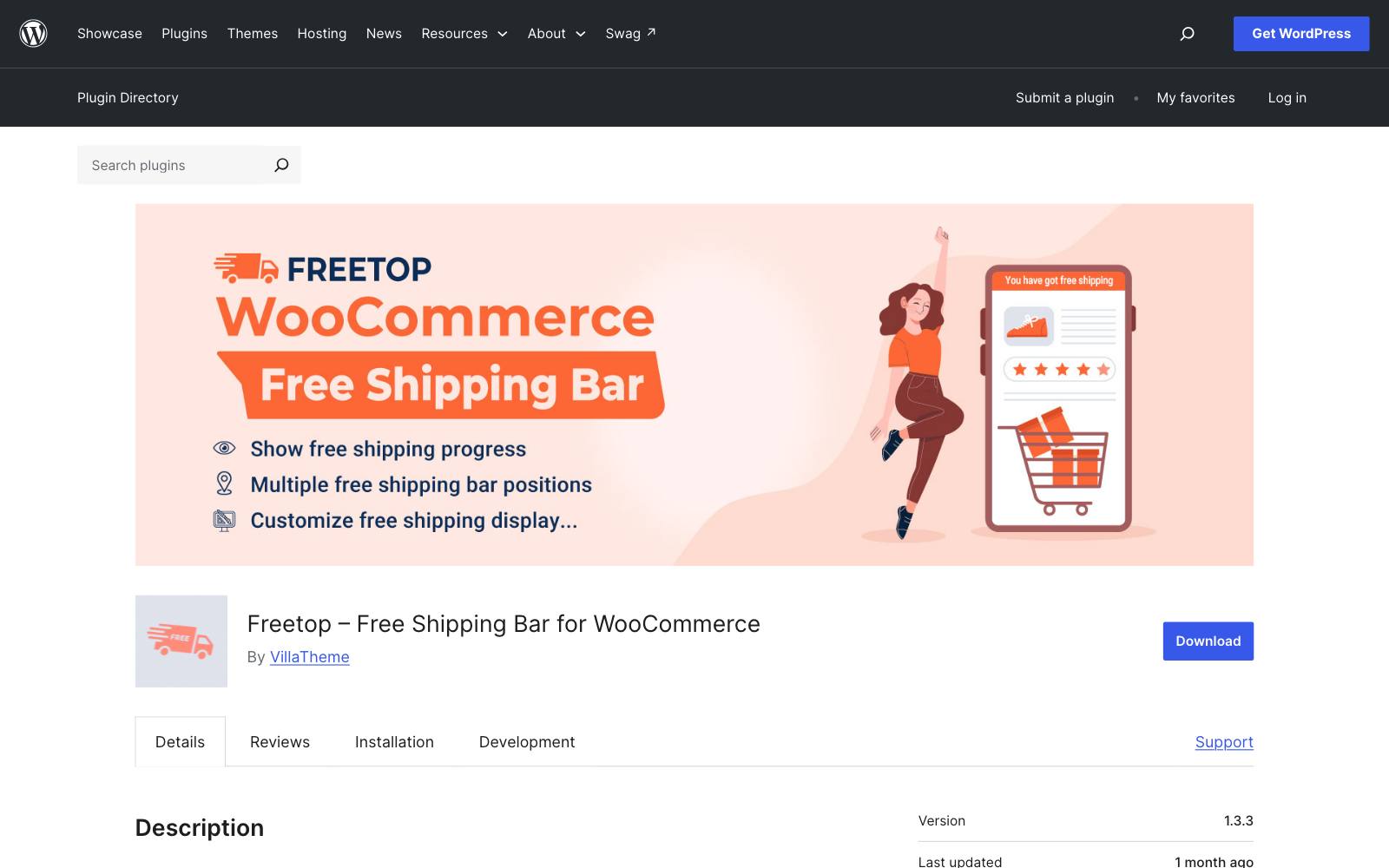
Best for: WooCommerce stores that want a second free option to compare against.
What it does: Freetop, by VillaTheme, shows a bar with how much is left to reach free shipping on a WooCommerce store.
It's free on WordPress.org and was last updated in September 2026.
Key features:
- Free shipping progress bar for WooCommerce
- Free on WordPress.org
- Maintained by VillaTheme, which publishes many WooCommerce plugins
Pros:
- No cost
- Active updates in 2026
Cons:
- Fewer installs (2,000+) than the Devnet plugin
- Rating (4.7) is a bit lower and the sample is small
- We could not verify the paid version's price, so we don't list it
Pricing: Free on WordPress.org.
Rating: 4.7 from 40 ratings on WordPress.org.
Which one is right for you
You just want a bar, for free
Use Hextom for a top-of-page bar or Essential for a product page bar.
Both are free and leave your cart alone.
You want a better cart drawer at the same time
Kaching Cart starts at $9.99/mo. Upcart costs more but gives you custom code.
Compare more options in our list of Shopify upsell apps and our guide to cart drawers.
You are a new store with few orders
iCart is free for your first 100 orders, which covers most launches.
You have high order volume
Amp's flat $29.99/mo gets cheaper per order as you grow.
If you already run Rebuy for upsells, use its Smart Cart instead of adding another app.
You run WooCommerce
Start with Free Shipping Label and Progress Bar.
See our list of WooCommerce upsell plugins if you want upsells in the cart too.
What to look for
- Placement: check that the bar can show in the cart drawer and near Add to Cart, not only at the top of the page.
- Threshold accuracy: the bar must read the same rule your checkout uses, or shoppers get told they qualify when they don't.
- Currency and country: if you sell abroad, the threshold should convert and the message should change by market.
- Tiers: a second goal (a gift or discount after free shipping) gives shoppers who already qualify a reason to add more.
- Success message: look for a clear "you unlocked free shipping" state once the cart qualifies.
- Pricing model: per order, per view or flat; work out what you'd pay at twice your current volume.
- Speed and conflicts: one cart app is enough; check it works with your theme and your existing drawer.
- Testability: make sure you can turn it off for half your traffic with an A/B testing app.
Real test results
These tests from our archive show what free shipping bars and progress bars did on real stores, wins and non-wins.
Browse all of them in cart free shipping threshold tests.
 @oliverkenyon
 ConvertiblesVisually
 Clean Commit
The copy on the bar matters as much as the app.
Dave Diederen changed cart copy from "Free shipping will be applied at checkout" to "Congrats!
You unlocked FREE shipping!" and got +13.93% revenue per visitor.
Adding the country to the shipping bar message ("Free Shipping to [country]") is reported to win every time across multiple stores in Dave Diederen's tests.
Kiehl's got +31% revenue from a free-gift gauge on the basket page, run on VWO.
Oliver Kenyon has run several of these cart tests, including a cart rebuild with a free shipping bar set just above average order value that reported +$27,000/month.
If you want help choosing a threshold and testing it, see Oliver Kenyon's tests.
Watch out for
A bad threshold
No app fixes a threshold set in the wrong place.
Dave Diederen removed a free shipping threshold altogether and charged shipping on every order, and revenue per visitor went up: +9.17% revenue per visitor.
Life is Good raised its threshold from $25 to $35 and got +1.3% revenue/visitor (run on  Shoplift).
Test the number, not just the bar. Our shipping messaging guide covers the options.
App stacking and page speed
A bar app, a cart drawer app and an upsell app can all inject scripts into the same cart.
Pick one app that does the bar, and remove the rest.
If you install a cart drawer app, turn off your theme's own shipping bar so shoppers don't see two.
Fake urgency
Several of these cart apps bundle countdown timers.
A fake timer next to the shipping bar can cost trust.
If you add one, read our notes on countdown timer apps first and keep it tied to a real deadline.
Assuming it always wins
Clean Commit ran several free shipping message tests that came out flat or lost, including -5.5% conversion for one price-based message on product pages.
See more of their results on the Clean Commit page.
Run the bar as an A/B test and judge it on revenue per visitor, not on clicks.
More tools are in our tools directory, and more page elements in announcement bars.