



Microsoft Clarity is a free heatmap and session recording tool from Microsoft.
It suits small and mid-size sites, Shopify stores and anyone starting CRO research who needs to see where visitors click, scroll and get stuck.
Our verdict: it is good enough for most early CRO work, but its 30-day data retention, lack of surveys and plain heatmaps push larger teams toward a paid tool.
We have not used Clarity ourselves. This review is based on Microsoft's own documentation and terms, competitors' public pricing pages, and real A/B tests from our database that started with heatmap research.
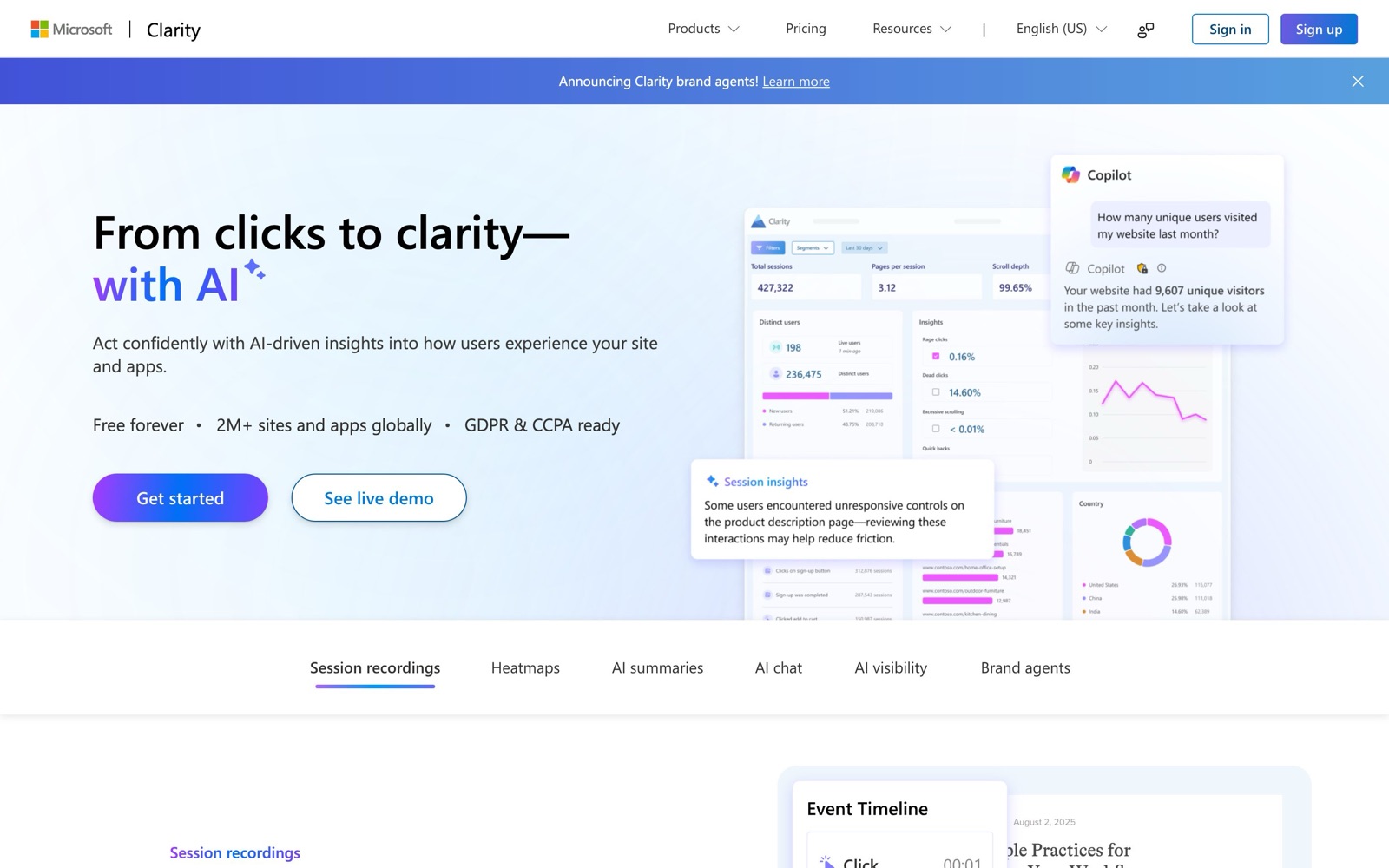
What Clarity does: heatmaps, recordings, rage clicks and Copilot
Clarity is a behavior analytics tool. You add one script to your site and it starts collecting data without any goals or dashboards to configure, according to Microsoft's overview.
- Heatmaps. Click maps, scroll maps, area maps and conversion maps, generated for desktop, tablet and mobile by default. Each heatmap covers up to 100,000 page views (Clarity FAQ).
- Session recordings. Clarity records the page content and the visitor's actions, then plays them back as an animation. It records up to 100,000 sessions per project per day.
- Frustration signals. Rage clicks (repeated clicks in one spot), dead clicks (clicks with no response), excessive scrolling and quick backs (a visitor opens a page and returns right away). You can filter recordings by each one.
- Funnels and smart events. Define key actions and see where visitors drop out of a conversion path.
- Copilot. Generative AI that answers questions about your project in plain language and summarizes single recordings, groups of recordings and heatmaps (Copilot docs). Microsoft itself warns the summaries can be wrong, so treat them as a starting point.
Clarity also has a mobile SDK for Android, iOS, Flutter and React Native, plus integrations with A/B testing tools including AB Tasty, Kameleoon and Optimizely Web (supported platforms).
For CRO, Clarity belongs in the research step.
It tells you where people struggle. It does not tell you whether a fix works.
That takes an A/B test. Our guide to customer research covers how heatmaps, recordings and surveys feed hypotheses.
The tests below show that loop in practice.
Each started with heatmap data and ended in a controlled test:
- Dave Diederen changed the above-the-fold USPs to the points heatmaps showed buyers engaging with, a +7.28% revenue per visitor win on a product page.
- Dave Diederen also added a countdown timer where heatmaps showed shoppers were focused on a collection page: +20.65% revenue per visitor.
- In another test, Dave Diederen turned a collection banner that drew attention into a clickable countdown timer, credited with +$161K revenue.
- KlientBoost built heatmap-led landing pages alongside new PPC for a lead-gen client and reported +77% conversion rate. That was a bundled change, so the heatmaps were one input among several.
 @DaveDiederen@DaveDiederen
 KlientBoost@DaveDiederen
These tests don't say which heatmap tool was used.
They show the kind of insight any heatmap tool, Clarity included, can produce.
Is Microsoft Clarity free, and why?
Yes. Microsoft says Clarity "is a free service forever" with no traffic limits, no sampling, unlimited sites per account and no paid tier to upgrade to (FAQ, pricing page).
That is the case as of November 2026.
The trade is data. Clarity's terms of use say Microsoft may use personal data it collects through Clarity to provide the service, improve Microsoft's products and "create user profiles for purposes that include advertising."
The terms also allow Microsoft to use non-personal data for research and AI work, including training machine learning models.
Microsoft says it does not sell Clarity data.
What that means for you:
- Your privacy notice must say that third parties such as Microsoft may collect data from visitors, per the terms.
- Visitors in the EEA, UK and Switzerland must give explicit consent. Without it, Clarity can't link pages into one session, and recordings and funnels are affected (FAQ, cookie consent).
- Clarity masks page content by default, and Microsoft says it shouldn't be used on sites or apps aimed at users under 18 (overview).
If your legal team won't accept an ad-linked data use clause, Clarity is not for you, whatever the price.
Microsoft Clarity for Shopify
Shopify stores install Clarity through the Microsoft Clarity: AI Insights app in the Shopify App Store.
You approve the permissions, switch on Clarity JS in the app settings and wait a few hours for data (Shopify setup docs).
Stores that pasted the snippet into theme.liquid earlier are migrated to the app without code changes.
One limit matters for checkout work: checkout and post-checkout pages are tracked through Shopify's Pixel only on Shopify Plus.
On other plans you see storefront behavior but not the checkout itself.
Microsoft's FAQ also warns that switching themes can remove the script, so check it after any redesign.
For a Shopify store, the typical use is finding where shoppers look on product and collection pages, then testing changes there, as in the Dave Diederen tests above.
Our Shopify CRO guide covers what to test next.
Limits vs paid tools
Free doesn't mean unlimited in every direction. These are the gaps that matter most for CRO teams:
- Short history. Data is kept for 30 days. Favorited recordings and a random sample are kept for up to 9 months (FAQ). Year-over-year comparisons are not possible.
- No surveys or feedback widgets. Clarity shows what people do, not why. You need a survey or user testing tool for that.
- No revenue layer on heatmaps. Clarity heatmaps show clicks and attention. Tools like Heatmap.com tie clicks to revenue.
- Limited data control. You can't delete or download individual recordings, and deleting one user's data means deleting the whole project.
- No A/B testing. You still need a testing tool to prove a change works.
Here is how Clarity compares with paid options, based on each vendor's pricing page as of November 2026:
| Tool | Pricing model | Data retention | Key extras over Clarity | Best for |
|---|---|---|---|---|
| Microsoft Clarity | Free, no paid tier (pricing) | 30 days (sample up to 9 months) | None. Baseline heatmaps, recordings, funnels, Copilot | Small and mid-size sites starting CRO research |
| Lucky Orange | From $32/mo billed annually for 3,500 sessions/mo; 7-day trial (pricing) | 60 days base, up to 365 days as an add-on | Surveys, live chat, form analytics | Small stores wanting recordings plus surveys and chat in one tool |
| Heatmap.com | From $199/mo for brands with $0-10M revenue; 14-day trial (pricing) | Not listed on pricing page | Revenue-tracked heatmaps and recordings, surveys, A/B test integrations | Shopify brands that want revenue per click |
| Hotjar / Contentsquare | Free plan, paid from $39/mo; Pro and Enterprise on request (pricing) | 1 month free, 13 months on Growth | Surveys, longer history, AI summaries | Teams that need surveys and a year of history |
Hotjar's pricing page now redirects to Contentsquare's. On that free plan, session replay captures 5% of sessions up to 10,000. Clarity has no stated cap below 100,000 recorded sessions a day.
More detail: Hotjar vs Microsoft Clarity, Lucky Orange review and Heatmap.com review.
Clarity vs Google Analytics
These tools answer different questions, and most sites run both.
Google Analytics counts things: traffic sources, conversions, revenue by channel.
Clarity shows what happened on the page: where people clicked, how far they scrolled, what they rage-clicked.
A common workflow is to spot a weak page in GA (high exit rate, low conversion), then open Clarity's heatmaps and recordings for that page to see why.
Clarity connects to GA by creating a custom dimension in your property.
GA segments then show up in Clarity's Recordings tab, though not in heatmaps or the dashboard (FAQ).
Expect the numbers to differ. The two tools count sessions and filter bots differently, so don't use Clarity as your source of truth for traffic.
When to pay for more
Clarity is a strong default. Stick with it if you are a small or mid-size site, you look at data weekly and you run research before each test.
Consider a paid tool when one of these is true:
- You need history. Comparing this quarter's behavior with last year's needs 13 months or more of data.
- You need the "why." On-page surveys and feedback come with Lucky Orange and Hotjar/Contentsquare. Our customer research tools roundup covers dedicated options.
- You want revenue context. High-revenue Shopify brands may get more from heatmaps tied to revenue per click.
- You need stricter data terms. Enterprise tools offer contracts and controls that a free, ad-linked product does not.
Who Clarity is not for: sites aimed at under-18s, teams whose legal review rules out advertising use of visitor data, and analysts who need raw recording exports.
If you outgrow it, these two paid tools have partner programs with us.
We may earn a commission if you sign up through these links, at no extra cost to you.
Clarity itself pays nothing, and we still recommend starting with it.
For a wider field, see our roundups of heatmap tools, session replay tools, Hotjar alternatives and FullStory alternatives.
Once your research turns into ideas, browse real A/B test results to see what similar changes did elsewhere.
If you'd like help turning heatmap findings into tests on a Shopify store, Dave Diederen ran the heatmap-led tests above: