




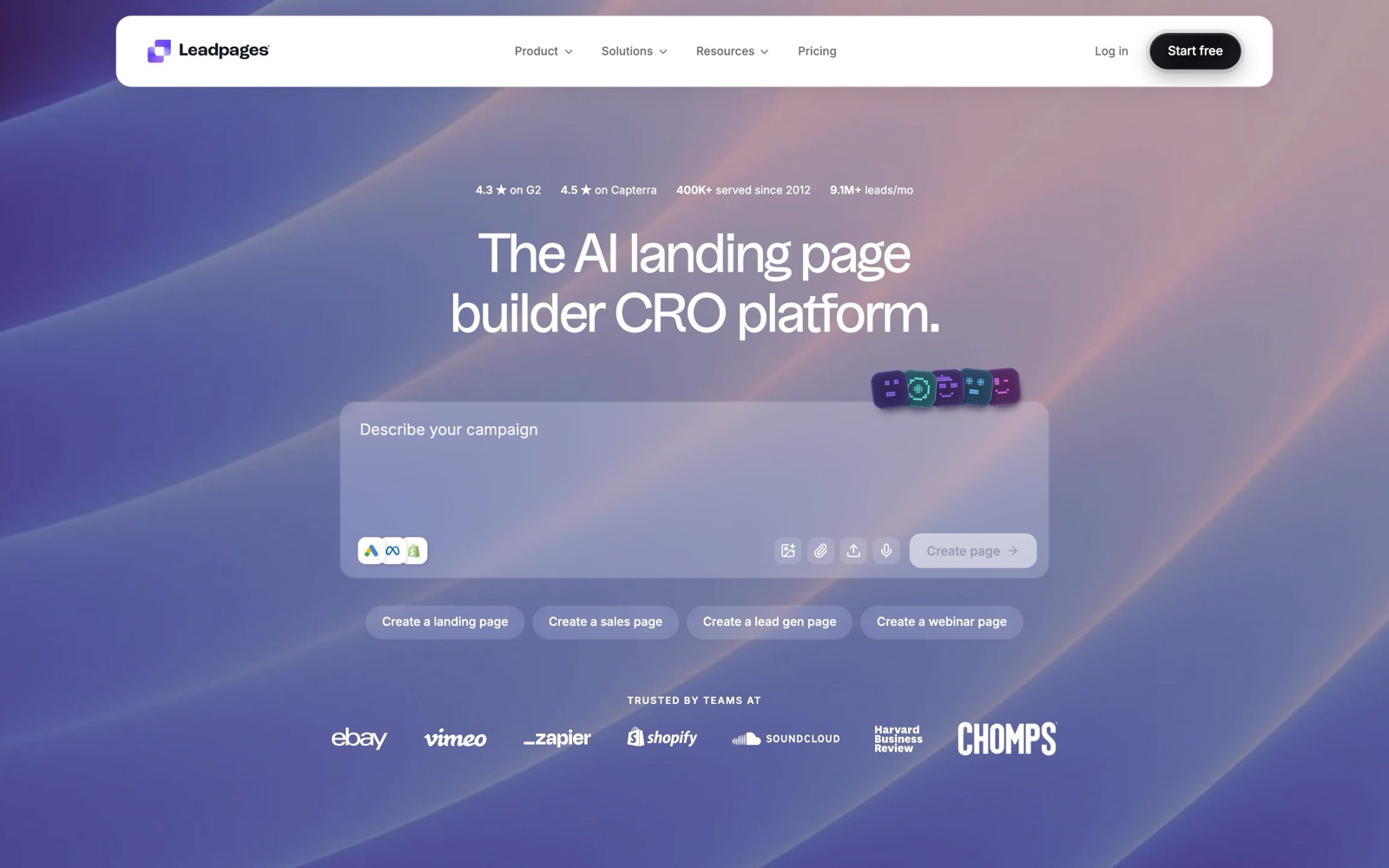
Leadpages is a landing page builder for small businesses, coaches and solo marketers who want to publish lead-capture and sales pages without a developer.
Our verdict: it's a good fit if you want low entry pricing and no traffic caps.
If you plan to A/B test, budget for the $99 Grow plan, because the cheaper plans don't include testing.
We haven't used Leadpages ourselves. This review draws on the vendor's own pages and docs, public user reviews, and real landing page tests from the LiftArchive database.
The tests show what kind of experiments a builder like this is for.
What Leadpages does
Leadpages lets you build landing pages, sales pages, webinar sign-ups and simple sites from templates, then publish them on your own domain.
In 2026 the company rebuilt the product with an AI editor.
According to its pricing page, every plan includes SSL, custom domains, the AI editor and an MCP connector.
That rebuild matters when you read reviews. Many older user reviews and comparison articles describe the earlier product, so check the date before you trust a feature complaint or a price.
The new version also adds features that used to need separate tools: pop-ups, dynamic text replacement, built-in heatmaps on the top plan, and a page grader called Optimization Score.
According to Leadpages' own comparison page, sticky bars are on the roadmap rather than available now.
Leadpages pricing and cost
As of November 2026, Leadpages lists four self-serve plans, each with a 7-day free trial and 20% off for annual billing:
- Pro, $29/month: 25 pages, 1 custom domain, 1 blog, 90-day analytics, 12K AI credits a month.
- Business, $49/month: 50 pages, 2 custom domains, 2 blogs, 1-year analytics, 20K AI credits.
- Grow, $99/month: unlimited pages, 4 custom domains, manual A/B testing, dynamic text replacement, manual personalization, and lead enrichment (1K a month).
- Optimize, $199/month: 6 custom domains, Smart Traffic (AI routing), click and scroll heatmaps, auto-personalization, multivariate testing (A/B/C/D), 10 active integrations and 24-month analytics.
Enterprise pricing is custom (contact sales) and adds SSO, custom contracts and dedicated support.
The pricing page says there are "no traffic caps on any plan," which is the main pricing difference from Unbounce.
| Plan | Monthly price | Pages | Testing | Best for |
|---|---|---|---|---|
| Pro | $29 | 25 | None | One business, a few campaign pages |
| Business | $49 | 50 | None | Two brands or a blog plus pages |
| Grow | $99 | Unlimited | Manual A/B | Paid-traffic campaigns you want to test |
| Optimize | $199 | Unlimited | A/B/C/D, Smart Traffic, heatmaps | Teams running tests continuously |
| Enterprise | Contact sales | Custom | Custom | SSO and contract needs |
Templates and conversion guidance
The template gallery groups layouts by goal: sales pages, lead gen, webinar, ecommerce, portfolio, blog and coming soon.
Each template shows how many businesses use it, which helps you find layouts others have picked for your niche.
The older Leadmeter tool has been replaced by Optimization Score.
It grades a page A to F against its conversion goal, with seven sub-scores: call to action, form, value proposition, mobile, page speed, social proof and ad match.
Each weak spot gets a one-sentence fix, and some fixes can launch as an A/B test.
Treat the grade as a list of ideas to test, not proof.
Best-practice checklists are a reasonable starting point, but our database shows the same idea can win on one page and do nothing on another.
The real tests below match the kind of changes the grader suggests:
- Call to action: Digital NRG added an above-the-fold contact CTA button on an insurance landing page and saw +133.38% CTA clicks.
- Social proof near the form: Ultraviolet Digital placed an "expert opinion" above a clinic's booking form, and conversion went from 4% to 9.5%.
- Value proposition: Imsider.ru tested the headline "Open your internet store in one evening" and got +9.52% leads.
- Fewer distractions: Majestic Wine removed a PDF download button beside the CTA and saw +36.9% enquiries.
Leadpages A/B testing and split testing
Older guides say split testing came with Leadpages' Pro plan.
That's no longer true. As of November 2026, A/B testing starts on the Grow plan at $99/month, and Pro and Business don't include it.
The A/B testing page describes how it works.
You duplicate a page or have AI write a variant, then pick a goal: form submission, button click, purchase or an offsite conversion.
You can split traffic 50/50, 70/30 or any custom ratio, run up to 4 variants per test, and promote the winner with one click.
Leadpages says variants are assigned on the server before the page loads, so visitors don't see the original flash before the variant appears.
Smart Traffic and multivariate tests need the $199 Optimize plan.
Smart Traffic sends each visitor to the variant the system predicts will convert best.
It's useful once you have several decent variants, but it's no substitute for a clean head-to-head test when you want to learn why something works.
The biggest wins in our database usually come from testing a whole new page, not small tweaks.
Journey Further tested a dedicated PPC landing page against the product page and saw +32.62% purchases.
CleanChoice Energy tested a timed email pop-in against a footer button and got +204% email sign-ups.
Both are the kind of test a landing page builder with pop-ups makes easy.
Small sites should keep traffic in mind. A page with a few hundred visits a month can take a long time to reach a clear result, so test big changes first.
Our landing page optimization guide covers what to test first.
Leadpages vs Unbounce
Unbounce is the closest rival. As of November 2026, Unbounce's pricing page lists Starter at $29/month ($22 billed annually) with 5 pages and up to 500 visitors, and Build at $99/month with up to 20k visitors.
A/B testing starts on Experiment at $149/month (up to 30k visitors), and Smart Traffic is on Optimize at $249/month (up to 50k visitors).
Usage over the limit is billed as a one-time overage charge.
Unbounce offers a 14-day trial with no credit card.
| Leadpages | Unbounce | |
|---|---|---|
| Entry price | $29/month, 25 pages | $29/month, 5 pages, 500 visitors |
| Traffic limits | None on any plan | Capped by plan, overage charged |
| A/B testing from | $99/month (Grow) | $149/month (Experiment) |
| AI traffic routing | $199/month (Optimize) | $249/month (Optimize) |
| Free trial | 7 days | 14 days, no card |
| Best for | Small businesses on a budget, high-traffic campaigns | Agencies and marketers who want a longer track record |
On paper, Leadpages is cheaper at every step and has no traffic caps.
Unbounce has run its testing and Smart Traffic features for years, while Leadpages' versions arrived with the 2026 rebuild.
Leadpages' own comparison also credits Unbounce with more native integrations (60+), while Leadpages relies more on a middleware layer. Our Unbounce review goes deeper.
LiftArchive may earn a commission if you sign up for Unbounce through the link above.
We don't have an affiliate relationship with Leadpages.
Who Leadpages fits, and who it doesn't
Good fit: service businesses, coaches, course creators and local companies that need a few lead-capture pages, plus advertisers who send a lot of paid traffic and don't want visitor-based billing.
Not a fit:
- Shopify stores. If your offer and checkout live on Shopify, a native page builder keeps the page on your store. Oliver Kenyon found that rebuilding a landing page natively in Shopify beat the same page in a page builder by +20.9% revenue per visitor.
- Anyone who wants testing for $29. Pro and Business don't include A/B testing.
- Teams that need many native integrations. Optimize lists 10 active integrations, so check your CRM and email tool before you commit.
- Buyers who want a long-proven product. The rebuilt platform is new. On review sites like Capterra, users praise ease of use but also complain about layout customization limits and inflexible policies, and some of those reviews predate the rebuild.
Leadpages alternatives
- Unbounce: the most direct swap, with a longer testing track record and more native integrations, at higher prices and with traffic caps. See Unbounce alternatives if it doesn't suit either.
- Instapage: aimed at larger ad teams. See our Instapage review.
- ClickFunnels: better if you need multi-step funnels and checkouts. Compare them in Leadpages vs ClickFunnels.
- A Shopify page builder such as Replo or GemPages, if you sell on Shopify.
- A separate testing tool from our A/B testing tools list, if you already have pages and only need experiments.
For the full field, see our Leadpages alternatives and landing page builders roundups.